Microsoft Excel continues to grow in power, sophistication, and capability, but one thing that has changed very little since the early '90s is its user interface. The once-simple toolbar has been packed with so many features over the years that few users know where to find them all. Microsoft has addressed this problem in Excel 2007 by radically redesigning the user interface with a tabbed toolbar that makes every feature easy to locate and use. Unfortunately, Microsoft's documentation is as scant as ever, so even if users can find advanced features, they probably won't know what to do with them.
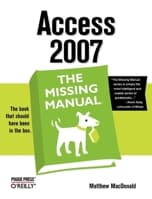
Excel 2007: The Missing Manual covers the entire gamut of how to build spreadsheets, add and format information, print reports, create charts and graphics, and use basic formulas and functions. Like its siblings in the Missing Manual series, this book crackles with a fine sense of humor and refreshing objectivity about its subject, guiding readers through the new Excel with clear explanations, step-by-step instructions, lots of illustrations, and friendly, time-saving advice. It's a perfect primer for small businesses with no techie to turn to, as well as those who want to organize household and office information.
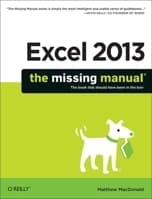
Just like the cover says... "The book that should have been in the box." Most people only take advantage of about 2% of Excel's power. If you want to do more that add and subtract and would like to see Excel do truly amazing things, you must have this book. I'll never understand why MicroSoft spends so much time building such a feature rich program as Excel and refuses to publish a guide because these things just ought to be intuitave. They are not only non intuitive but many of the more powerful features are actually hidden. The secrets will be revealed with The Missing Manual.
0
★★★★★
Excel-lent book
By Thriftbooks.com User, September 6, 2008
I love these Missing Manuals for Excel. The descriptions are written in a clear conversational tone, and the examples are easy to follow. I use Excel for basic list and schedule making, to type notes for college, to calculate statistics for my tennis team, and for different finance calculations and reports at work. Sometimes the help function that comes with Excel is sufficient for quick questions, but for more complicated use and/or plainer explanations, I prefer the book to the help function. I have the manuals for both Excel 2003 and 2007, and the manuals are not interchangeable for the two versions. Whichever version of Excel you use, whether you want to look up basic how-to's, do complicated computations, or get into the bells and whistles, I would recommend the Missing Manual.
0
★★★★★
Excellent book
By Thriftbooks.com User, August 26, 2008
Pro: This is the third Missing Manual book I've bought. The thing I appreciate most about all the Missing Manual books is the rigorous QA that ensures the reader will not be frustrated by errors. This is a clear, easy-to-follow, informative book. I highly recommend it. Con: The book's "Get Satisfaction" feedback website is poor. I was not able to leave a suggestion there, so I'll put in here. These are my suggestions: 1) Replace "Get Satisfaction" with a better feedback tool and 2) in the file name of "Missing CD" files, include a reference to the figure in the book. That will make it easier to use the CD examples along with studying the book.
0
★★★★★
Master Excel 2007 like nobody in your office!
By Thriftbooks.com User, July 6, 2007
Based on the above listed reviews, mine is going to be short and sweet. This is a book to have if you need to get up-to-speed with the new version of Excel. MS Excel is a de-facto standard in spreadsheet software, whether you like it or not. This book will take you from A to Z on the subject of Excel 2007. It provides real-life examples to real-life questions. There may be more simple books out there on the topic, but O'Reilly is my choice. 5 stars.
0
★★★★★
Everything You Wanted to Know about Excel 2007
By Thriftbooks.com User, April 8, 2007
An easy to read and easy to understand manual. The Tip Paragraphs are very helpful. I really like the examples and the illustrations. The extensive sections on Formulas and Macros really makes this book powerful and invaluable. Althought the manual does not come with a CD, many examples and downloads are available online. I recommend this to any Excel 2007 user.