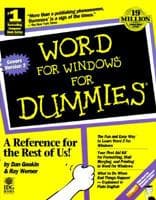
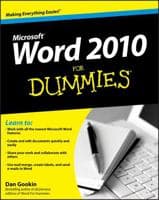
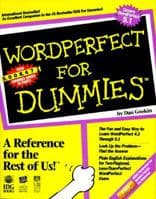
Cut and paste, search and replace, format and print, or delete and destroy to your heart's content with the latest upgrade to Word, Microsoft's powerful word processing software for Windows 95. Whether you're writing everyday office documents, formatting mail-merge letters, composing fancy brochures and newsletters, or creating content for the World Wide Web, Dan Gookin's humorous, insightful guide to all things Word safely steers you through the ins and outs of the wondrous ways that Word works. Word 97 For Windows For Dummies is the fun and easy way to create great-looking documents in Word (and to find out what to do when bad things happen). This book features sound advice and step-by-step details on everything from Word basics to advanced features (such as including graphics, tables, and charts in your documents and using Word's integrated wizards to make formatting, printing, and other cool Word stuff as easy as point-and-click). Plus, be sure to check out Dan's Top Ten Lists for Word 97, including ten cool tricks, ten features you don't use (but paid for anyway), ten shortcut keys worth remembering, and the ten commandments of Word.
Plenty of us are still using older version of Microsoft software, and if you're one of those this guide is as good as any. You may spend a little time searching for the answer but it's usually hidden somewhere. The book is helpful in steering neophytes away from fancy but overly complicated or even risky features.
0
★★★★☆
"FOR DUMMIES"? NO, FOR SMART FOLKS WHO COULD USE SOME HELP
By Thriftbooks.com User, June 26, 2001
I used to have a teacher who'd say, with a wry grin,"The wise man can always play the fool, but the fool can never play the wise man." With that in mind, I have no problem picking up a book about a subject I want to know with "...for Dummies" in the title. The wise man knows his limitations, and the wise man should have a sense of humor.Dan Gookin lets you know out front that he's a professional writer, not a technoguru. His expertise with Microsoft Word is based on years of using it and writing about it - therefore, functional knowledge, and only as technical as need be. That's the approach he takes, in straight-forward, easy to read language.His command of English is heaps easier to understand and apply than Microsoft's owner's manual and computer tutorial program writers. His large dollops of humor, which might be occasionally irksome, are something I believe should be requisite when using computers; you need to keep your perspective and remember hardware and software are just tools. Tools! OK, to some people they're expensive toys, too. Too expensive to make jokes about? Puh-leeze...Check this book out, it may save you time and aggravation.This book is great for someone like me. My life does not depend upon my working knowledge of Word - but it's helpful. I am neither dummy nor beginner. Starting a few years ago, when the local public library began to offer free instructor-led and computer-based self-tutorial classes, I learned and worked with Word for my personal and home-based business use. I tend to be self-taught. A lot of what I learned about using Word to suit my simple purposes came from my mistakes. As someone said, though, Experience may not be the best teacher, but it's certainly the most painful.Gookin has saved me some pain. He's written a reference book, not a textbook. That means you don't have to read it straight through. Just open it to wherever you want or need. I skipped the opening, beginner's stuff - I'm sure it's great and I may read it for fun someday - and proceeded directly to stuff that affected me (the care & feeding of files and folders), might affect me (functioning of the Web toolbar and HTML documents, which Gookin was dead-on about: they are a pain), to stuff that may become important to me, like Mail Merge.Bottom line, I found the book informative, accurate, encouraging, empowering, and sometimes bitingly funny. It's like reading an entertaining encyclopedia. After Gookin is through demystifying toolbars & floating palettes, features, buttons and option windows, the hidden bangs for the buck, the ten things you should always do and a few you might not want to ever do, or even consider...well, you just might feel in control. Yeah, an average person, the computer "semiliterate," in control! Is the book "perfect"? I don't know. It did alright by me - I was looking for help, not perfection, and I believe I got it. Could be you will, too.
0
★★★★★
Informative, but to much nonsense.
By Thriftbooks.com User, January 16, 1999
On page 295, in section regarding shortkeys for symbols, I can't find check mark in symbols given. Can anyone please tell me where to find the check mark? Thanks in advance!