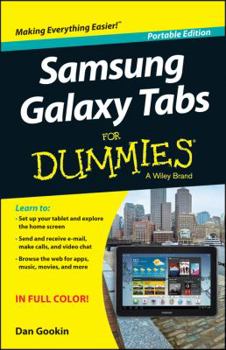
Samsung Galaxy Tabs For Dummies
No Customer Reviews

Select Format
Select Condition 
Book Overview
Learn to: Set up your tablet and explore the home screen Send and receive e-mail and video chat Browse the web for apps, music, movies, and more Explore the Galaxy with Dan Gookin and get more from your GalaxyTab Let Dan Gookin show you around the Galaxy Tab so you can startusing all its cool features! From initial set-up to video chatting,using e-mail, web surfing, or shopping for and using apps, Danwalks you through the basics so you can start enjoying your GalaxyTab right away! Meet the Galaxy -- set it up, find your way around,navigate the touchscreen, and open your Google account Just your type -- learn to type and edit text on theonscreen keyboard Hello, friends -- build and manage your contact list,including e-mail and social networking contacts Communication in the Galaxy -- set up your e-mail accountand enjoy video chats Browse a bit -- wander the mobile web, safely Connect and share -- transfer files between your Tab andyour PC Open the book and find: Things you can do from the Home screen How to add an attachment to an e-mail Video chat tools Tips on finding, buying, and updating apps Just what you need to know about wireless Ten terrific free apps to download How to use your voice to enter text
Format:Paperback
Language:English
ISBN:1118794052
ISBN13:9781118794050
Release Date:August 2013
Publisher:For Dummies
Length:160 Pages
Weight:0.46 lbs.
Dimensions:8.5" x 0.3" x 5.5"
Customer Reviews
0 rating
Copyright © 2026 Thriftbooks.com
Terms of Use | Privacy Policy | Do Not Sell/Share My Personal Information | Cookie Notice | Cookie Preferences | Accessibility Statement
ThriftBooks ® and the ThriftBooks ® logo are registered trademarks of Thrift Books Global, LLC
ThriftBooks ® and the ThriftBooks ® logo are registered trademarks of Thrift Books Global, LLC