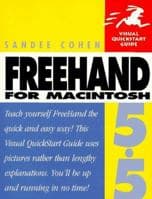
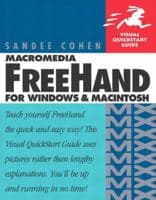
Free Hand 10 offers a fresh Macromedia user interface, editable symbols like those in Macromedia Flash, customizable Master Pages for increasing productivity, and multi-publishing ability. This guide is a useful tool for learning this visual program. It includes several screenshots of FreeHand's Macromedia user interface. This description may be from another edition of this product.
Macromedia FreeHand 10 For Windows And Macintosh by Sandee Cohen is the latest in the superbly presented "Visual Quickstart" guidebook series and swiftly teaches the basics of Macromedia FreeHand computer applications by relying heavily on screenshots and pictures rather than extensive verbal explanations. A marvelous reference for learning Freehand quickly and easily, and enhanced with a special chapter concerning Flash animations, Macromedia FreeHand 10 For Windows And Macintosh is very highly recommended, especially for novice computer users who tire of puzzling their way through excessively long textual descriptions.
0
★★★★★
What did you expect?
By Thriftbooks.com User, May 12, 2002
I have not been disappointed with any visual quickstart guide. This was the first one I purchased and it's one of my favorites. This teaches you blends, paths, all the basics, and even flash animations!For 13 bucks, I haven't seen a better deal.
0
★★★★☆
Freehand 10 VSG
By Thriftbooks.com User, May 10, 2002
The Freehand 10 Visual Quickstart Guide is probably an excellent choice for beginners and of some use to long time Freehand users.Most questions are quickly answered, although information on some of the new features is weak.
0
★★★★☆
Simple
By Thriftbooks.com User, January 7, 2002
Basic, but shows you that Freehand is almost as good as Illustrator without the cool filters, but with direct Flash support (just copy your Freehand work and paste it in flash and bling bling). Some nice features with text and some good masking tips, but for someone who doesn't know much, and is looking for a no-nonsense book at a nice price.