


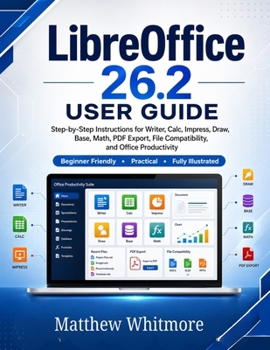
LibreOffice 26.2 User Guide: A Practical Step-by-Step Guide to Writer, Calc, Impress, Draw, Base, Math, PDF Export, File Compatibility, and Office Pro

Master LibreOffice 26.2 with confidence using this practical, step-by-step user guide designed for beginners, students, professionals, office workers, teachers, writers, and home users.
LibreOffice 26.2 User Guide is a clear and easy-to-follow manual that helps you understand and use one of the most powerful free office suites available today. Whether you want to write documents, create spreadsheets, design presentations, export PDFs, manage databases, or work with Microsoft Office files, this guide walks you through the process in simple, practical language.
LibreOffice includes six major applications: Writer, Calc, Impress, Draw, Base, and Math. This book explains each one carefully, showing you how to use them for everyday office work, school assignments, business reports, presentations, data management, and professional document creation.
Inside this guide, you will learn how to:
Install and set up LibreOffice 26.2 on Windows, macOS, and LinuxNavigate the LibreOffice Start Center, toolbar, sidebar, and workspaceCreate, open, save, recover, and protect documentsUse LibreOffice Writer to create letters, reports, books, manuals, and professional documentsUse LibreOffice Calc for spreadsheets, formulas, budgets, charts, and data analysisCreate professional presentations with LibreOffice ImpressDesign diagrams, flowcharts, posters, and graphics with LibreOffice DrawBuild simple databases with LibreOffice BaseInsert mathematical and scientific equations using LibreOffice MathExport documents as PDF, images, Microsoft Office formats, and other file typesWork with DOCX, XLSX, PPTX, CSV, ODT, ODS, ODP, and PDF filesUse templates, extensions, keyboard shortcuts, and productivity toolsSolve common LibreOffice problems, including formatting, compatibility, printing, and file recovery issuesThis book is written for real users who want practical results, not complicated technical explanations. Each chapter is structured to help you learn step by step, starting from basic setup and moving into document creation, spreadsheet management, presentation design, file sharing, troubleshooting, and advanced productivity tips.
Whether you are switching from Microsoft Office, starting with free office software for the first time, or looking for a complete LibreOffice reference guide, this book will help you work smarter and faster.
If you want to use LibreOffice 26.2 for writing, spreadsheets, presentations, PDFs, databases, and everyday office productivity, this user guide gives you the knowledge and confidence to get started and keep improving.
Best for Readers Who Want To:Learn LibreOffice from scratch, replace Microsoft Office, create professional documents, manage spreadsheets, prepare presentations, export PDFs, understand file compatibility, and improve office productivity without paying for expensive software subscriptions.
Customer Reviews
ThriftBooks ® and the ThriftBooks ® logo are registered trademarks of Thrift Books Global, LLC
