ISBN: 0966288904
ISBN13: 9780966288902
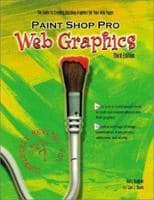
Creating Paint Shop Pro Web Graphics
ISBN: 0966288904
ISBN13: 9780966288902
Formats
Conditions
Formats
Conditions
Author Andy Shafran first takes you through the basics of using the package to create and edit simple graphics and photos. He also teaches you about GIF, JPEG, and other Web file formats and explains the basics of using HTML tags to add images to your pages. Next you apply special effects and work with Picture Tubes (a tool for painting with graphics instead of paint), layers, and black-and-white images. Shafran offers advice on using scanners and digital cameras to bring images into your computer and helps you retouch and correct those images. He also explains how to create transparent GIFs, GIF animations, image maps, and backgrounds and teaches you how to keep your images small.
The last two chapters focus on using extra HTML tags to control the appearance of your images and on learning additional Paint Shop Pro tips for creating gradients, textures, drop shadows, clip art, and 3-D effects. One appendix directs you to Web sites that offer graphics and development guidance. Another supplies a reference list to Paint Shop Pro's toolbar and palette options. --Kathleen Caster This description may be from another edition of this product.
Now in a fully updated and expanded second edition, Andy Shafran's Creating Paint Shop Pro Web Graphics is the definitive "how to" manual for using Paint Shop Pro 5 to produce and editing outstanding website graphics including banners, backgrounds, icons, and photographs. Hundreds of pages of full color examples illustrate the various aspects of Paint Shop Pro. Following clear, concise instructions the reader will rapidly be able to create vivid buttons, headlines, and icons using interactive techniques. How to use PSP Picture Tubes, deformation, and special effects in developing graphics is covered in detail, as is the use of the latest in scanner and digital camera technology to edit and customize photos. Creating Paint Shop Pro Web Graphics is a totally "user friendly" manual that belongs on the personal or professional Paint Shop Pro 5 reference shelf.
When I first started, I had little knowledge of how to make my own graphics. Other books I tried to read were too advanced and were confusing to someone just starting out. I wanted to create my own graphics instead of using clip art which most graphics books don't cover. This book has familiarized me with PSP and I now feel very comfortable using the program. It is easy to read and understand, and it is well-written. It also teaches you some very cool techniques! The author is very nice and will respond if you need help with anything and that in itself is invaluable!
This book is really great. I used it in my ZDU class and it had all the answers that I could even think of asking. Paint Shop Pro software is cool too. You have to have a color book to learn the software well and it has much more than the manual.
Andy Shafran did a wonderful job in covering the ins and outs of Paint Shop Pro 5. I am a complete beginner to art (I draw stick figures, OK?) and this book made me realize it is very easy to create fantastic looking web graphics using this wonderful program. I highly recommend this book to anyone afraid of creating "goofy" graphics.
I ordered this book with the upgrade and can't say enough good things. I really enjoyed the vivid colors and all of the real-life examples sprinkled through out - especially the red-eye removing technique. Anyone looking to learn how to use Paint Shop Pro 5 should pick up this book - the author even responds to e-mail questions and comments!