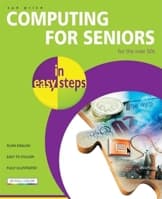
'Computing for Seniors In Easy Steps' enables the older generation to enjoy all the benefits of using a personal computer. With larger type for easy reading, the text presents compact, easy-to-understand tutorials on dozens of computer topics.
The title might be a little insulting, but it works.
By bernie4444, July 1, 2025
This book assumes you know little to nothing about computers. It will take you from ground zero to a functional user. The scope is well within the default software that comes with Microsoft systems. There are plenty of color pictures, diagrams, and explanations of how and why. The only thing that you need to be aware of, as with all computer books, is that the technology changes, so the speed of processors and the size of drives may change before you get this book. Some books claim that they are in plain English; this one is. It uses the margin gimmick to tell you what hot tips are, don't forget tips, and beware of warnings. You don't need the margins, but they're comforting to have in the book. The book is well designed to be able to take us step-by-step from front to back; however, if you need a little extra help or think you have missed something, there is an index in the back that will carry you back to that particular location. I suggest that even if you do know how to use computers that this book may tell you how to use computers more efficiently or clear up anything that you might have a misconception about. So, don't let the title or the sophomoric approach turn you off and miss something that can be useful.
0
★★★★☆
Easy reading
By Thriftbooks.com User, March 8, 2010
This is a great book for people with little computing experience , its easy to use just put it at the side of your computer and the pictures help you to do lots of things that you would probably not attempt . This is my third book in this range and I find them all very good
0
★★★★★
The title might be a little insulting but it works.
By Thriftbooks.com User, October 5, 2009
This book assumes you know little to nothing about computers. It will take you from ground zero to a functional user. The scope is well within the default software that comes with Microsoft systems. There are plenty of color pictures diagrams and explanations of how and why. The only thing that you need to be aware of as with all computer books is the technology changes so the speed of processors and the size of drives may change before you get this book. Some books claim that they are in plain English this one is. It uses the margin gimmick to tell you what hot tips are don't forget tips and beware warnings. You don't need the margins but they're comforting to have in the book. The book is well designed be able to those step-by-step from front to back however if you need a little extra help or think you have missed something there is an index in the back that will carry you back to that particular location. I suggest that even if you do know how to use computers that this book may tell you how to use computers more efficiently or clear up anything that you might have a misconception about. So don't let the title or the sophomoric approach turn you off and miss something that can be useful. Laptops for Seniors in Easy Steps: For the Over-50s