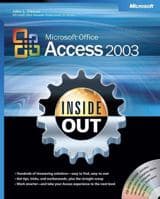
Get fully functional database samples and table designs for four of the most common Microsoft Access database types--and use them as templates to create your own Access solutions. Database expert and Microsoft MVP John L. Viescas provides the detailed guidance you need to customize your own solutions from these application types: Membership Tracking Inventory Management Customer Support Reservations Management For each type, you'll walk through typical usage scenarios, design considerations, and common pitfalls. You'll examine the logic behind each application's table design, and learn how to adapt it for your own Access solution. Get expert insights and examples to help you: Learn specific design techniques to improve your table structures Build forms with an attractive, intuitive, and easy-to-use interface Create queries, forms, and reports specific to each application type Design for client/server from the start'and share data more efficiently Apply best practices to help your application run more smoothly Avoid the 10 most common design problems--and deliver more robust solutions! Note: This book covers Microsoft Office Access 2003, Access 2002, and Access 2000 CD includes database samples and a fully searchable eBook. Use the sample databases on CD to model your own solutions for: Membership Tracking: Enter, track, and manage member information and communications. Inventory Management: Track and manage stock and create purchase orders, invoices, and packing lists. Customer Support: Track contacts, enter customer details, identify follow-up items, and create reminders. Reservations Management: Manage course registrations, car rentals, room reservations, and more. For customers who purchase an ebook version of this title, instructions for downloading the CD files can be found in the ebook. This description may be from another edition of this product.
The book is well written with real world application samples and practical tips for how to design a database that works instead of trying to mimic a template sample that could be missing key elements needed to run a functioning program.
0
★★★★★
Very Solid, useful book for development of Access Applications.
By Thriftbooks.com User, June 28, 2005
Easy to read first few chapters with basic design info, remainder of the book focuses on complete applications that can serve as a template/best practice for almost any other MS Access application. Viescas clearly understands/communicates an in depth knowledge of Access Applications that I have not seen anywhere else.
0
★★★★★
I've learned much in the first 3 chapters
By Thriftbooks.com User, March 27, 2005
As a self-taught Access developer for the past eight years, I have an extensive library of books dealing with beginneing to advanced areas of Access. I bought this book to add to my library, figuring it to be another reference item. However, in a casual browsing of the content, I discovered this book has much more to offer. I was pleasantly surprised to see information on levels of magnitude for linked tables, never having known that the number of sub folders for linked tables can affect the speed of reading from them. Each of the sample databases has more than enough explanation and code to fully understand the how and why of the application. After reading only the first three chapters, I have learned much that I was never aware of. I thought I understood Single and Double number types, but was re-educated by the information on page 18. Pages 32 and 33 taught me some new things about the difference between format and input mask. I am now much better at my development, and I haven't yet finished the book. Excellent work, Mr. Viescas!
0
★★★★★
The right stuff
By Thriftbooks.com User, March 24, 2005
This book has 4 complete database applications done in a manner which Codd and Date would be proud of. It's not another book of code or a book of dry procedural language. It's more than that. It takes the reader through the steps required to build a credible application. As a Microsoft MVP, it has been my pleasure to have known John personally for 5 years. He continues to impress me with his knowledge of databases and SQL. His books are required reading for new Access users and certain to teach even this old dog some new tricks. -- Arvin Meyer, MVP Microsoft Access
0
★★★★★
Excellent Books Showing Application Development
By Thriftbooks.com User, February 8, 2005
Microsoft Access is of course a database. But it's really much more than that. With its front end forms design capability and the integral report generating system, it is well suited for quite a number of small applications. I say small, because you aren't going to use Access to handle the operations of a Fortune 500 company. There are a lot of books that teach about the basics of Access. They however tend to talk strictly about how to do the programming portion only. They do not go into the practical aspects of database, forms, or report design. This book takes you deeply into the design of four small and rather simple applications. This way you can see what is needed to actually make an application that is really useful. It is unlikely that you'd actually run one of these applications as is, even if they were applicable to your business, you or your boss would want something changed. But with the knowledge you would get from the rest of the book, this should be a doable task. There is one combined plus and minus about this book. The plus, it has an excellent introduction to SQL programming, one of the best I've ever seen. The minus is that the SQL is based on the JET engine database. Access now ships with both JET and MSDE which is a much better engine. I suspect that Microsoft will make MSDE the standard engine in the future. Even with this negative, this is an excellent book.