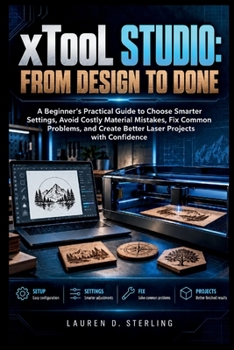
xTool Studio: From Design to Done: A Beginner's Practical Guide to Choose Smarter Settings, Avoid Costly Material Mistakes, Fix Common Problems, and C
No Customer Reviews

Do you find it difficult to choose the right xTool Studio settings, position your artwork accurately, or understand why a laser project did not turn out as expected?
Working with laser software involves more than importing a design and pressing Start. Material differences, power and speed settings, focus, positioning, processing modes, machine setup, and file preparation can all affect the final result. Without a clear workflow, beginners can waste material, repeat failed tests, or struggle to identify what went wrong. This practical guide helps you understand how xTool Studio fits into the complete laser-making process-from preparing artwork and selecting processing settings to testing materials, troubleshooting results, and building repeatable workflows. The emphasis is on making informed decisions rather than relying on guesswork. Clear explanations, visual guidance, practical comparisons, test-grid methods, troubleshooting workflows, and production-focused examples show you how settings and setup choices affect real materials. You will also learn how to refine projects, organize reusable master files, work with rotary and conveyor setups, and approach advanced features with greater control. This is a working reference designed to help you understand what to check, what to change, and why the result changes. What's insidexTool Studio setup, workspace, positioning, and processing fundamentalsPower, speed, passes, focus, and material-testing methodsArtwork alignment, framing, spacing, duplication, arrays, and repeat layoutsTroubleshooting for scorching, gaps, incomplete cuts, ghosting, misalignment, and uneven outputMaterial test grids and methods for selecting cleaner cutting and engraving settingsReusable master projects, saved settings, jigs, and repeat-production workflowsRotary roller and chuck setups, thick-object processing, and conveyor workflowsFile-performance optimization and structured diagnostic methodsAI-assisted material recognition and test-matrix verification workflowsWho's this guide for?Beginners learning xTool Studio for the first timeLaser owners who want fewer setup and material mistakesUsers who want to understand settings instead of copying values blindlyMakers creating engraved, cut, personalized, or repeat-production projectsHobbyists and small-workshop users building practical laser-processing knowledgeBy the end of this guide, you will be able to: Configure projects and position artwork more accuratelyChoose and refine processing settings using controlled testsIdentify common cutting and engraving problems systematicallyPrepare cleaner files and organize reusable production projectsUse rotary, conveyor, and advanced workflows more confidentlyEvaluate physical results and make better processing decisions
With a clearer understanding of the software, material behavior, setup, and troubleshooting process, you can approach laser projects with a more consistent and practical workflow.
Format:Paperback
Language:English
ISBN:B0HMP9WNFF
ISBN13:9798161638682
Release Date:October 2026
Publisher:Independently Published
Length:450 Pages
Weight:1.32 lbs.
Dimensions:0.9" x 6.0" x 9.0"
Customer Reviews
0 rating
Copyright © 2026 Thriftbooks.com
Terms of Use | Privacy Policy | Do Not Sell/Share My Personal Information | Cookie Notice | Cookie Preferences | Accessibility Statement
ThriftBooks ® and the ThriftBooks ® logo are registered trademarks of Thrift Books Global, LLC
ThriftBooks ® and the ThriftBooks ® logo are registered trademarks of Thrift Books Global, LLC