


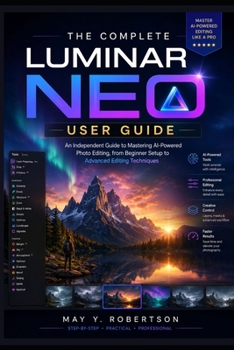
The Complete Luminar Neo User Guide: An Independent Guide to Mastering AI-Powered Photo Editing, from Beginner Setup to Advanced Editing Techniques

Whether you're opening Luminar Neo for the first time or looking to refine your editing workflow, The Complete Luminar Neo User Guide provides a practical, step-by-step path to creating professional-quality photos with confidence.
Written as an independent guide, this book explains the tools, features, and AI-powered capabilities of Luminar Neo in clear, easy-to-follow language. Instead of simply listing features, it shows you when to use them, why they matter, and how they fit into a real-world editing workflow.
Inside, you'll learn how to:
Install and configure Luminar Neo on Windows and macOSNavigate the interface and customize your workspaceImport, organize, rate, and manage photo libraries efficientlyMaster essential editing tools for exposure, color, contrast, cropping, and compositionUse powerful AI features such as Sky AI, Enhance AI, Structure AI, Relight AI, Portrait tools, and moreWork with layers, masks, presets, and extensions to create non-destructive editsImprove landscape, portrait, wildlife, travel, and architectural photographyRemove distractions, reduce noise, sharpen details, and recover highlights and shadowsExport images for social media, websites, printing, and professional portfoliosTroubleshoot common problems and optimize performance for faster editingFilled with practical examples, illustrated workflows, comparison images, and expert tips, this guide is designed to help photographers at every experience level get the most from Luminar Neo.
Whether you're a hobbyist, content creator, blogger, designer, or professional photographer, this book will help you transform ordinary photos into polished, eye-catching images while building editing skills you can apply to every project.
If you're ready to unlock the full potential of AI-powered photo editing, The Complete Luminar Neo User Guide is your trusted companion from beginner setup to advanced editing techniques.
Customer Reviews
ThriftBooks ® and the ThriftBooks ® logo are registered trademarks of Thrift Books Global, LLC
