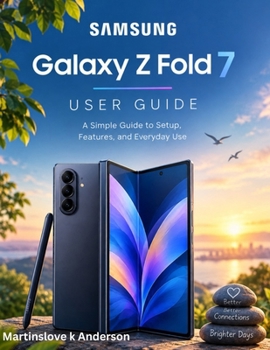
Samsung Galaxy Z Fold 7 User Guide: A Simple Guide to Setup, Features, and Everyday Use

Discover how to get the most out of your Samsung Galaxy Z Fold 7 with this simple, practical, and easy-to-follow user guide.
Whether you are new to foldable smartphones or upgrading from an earlier Samsung device, this guide will help you understand your phone's features and use them with greater confidence.
Inside this guide, you will learn how to:
Set Up Your Device: Configure your phone, connect to Wi-Fi, and set up your Samsung and Google accounts.Master Both Screens: Navigate the Cover Screen and Main Screen with ease.Customize Your Phone: Personalize wallpapers, icons, fonts, widgets, and display settings.Explore Galaxy AI: Discover supported intelligent tools for writing, translation, photo editing, and productivity.Improve Multitasking: Use multiple applications, Flex Mode, and other productivity features.Capture Better Photos and Videos: Explore camera modes, photography features, and editing tools.Stay Connected: Manage calls, messages, Bluetooth, mobile data, and Wi-Fi connections.Protect Your Privacy: Understand fingerprint recognition, Secure Folder, app permissions, and security settings.Manage Battery and Storage: Learn practical ways to maintain battery life, organize files, and keep your device running smoothly.Solve Common Problems: Find helpful troubleshooting steps for charging, connectivity, applications, and performance issues.A Practical Guide for Everyday Use
Written in clear, accessible language, this guide breaks down important features into manageable steps. You do not need advanced technical knowledge to follow along.
From setting up your device for the first time to discovering useful shortcuts and accessibility features, you will find practical information to help make everyday tasks easier.
Make Your Galaxy Z Fold 7 Work for You
Take the guesswork out of using your foldable smartphone. Explore its features, personalize your experience, and build the confidence to use your device more effectively.
Get started today and discover more of what your Samsung Galaxy Z Fold 7 can do.
Customer Reviews
ThriftBooks ® and the ThriftBooks ® logo are registered trademarks of Thrift Books Global, LLC