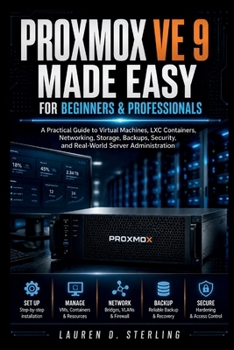
Proxmox VE 9 Made Easy For Beginners & Professionals: A Practical Guide to Virtual Machines, LXC Containers, Networking, Storage, Backups, Security, a
No Customer Reviews

Struggling to turn a fresh virtualization setup into a stable, secure, and manageable server environment?
Running virtual machines and LXC containers can quickly become confusing when storage, networking, backups, permissions, clustering, and system resources all need to work together. Beginners may hesitate over hardware choices and setup steps, while more experienced users may need clearer guidance for maintenance, troubleshooting, and real-world deployment. This practical guide helps you build the skills needed to plan, configure, manage, secure, and maintain a modern virtualized environment with confidence. It starts with the fundamentals, then moves into hands-on administration, performance monitoring, backup planning, networking, clustering, security, and troubleshooting. The lessons use clear explanations, step-by-step processes, practical examples, and instructional diagrams to show how key components fit together. Instead of overwhelming you with unnecessary theory, the guide focuses on tasks and decisions that matter during everyday administration.A practical reference for building systems you can understand, maintain, and improve.
What's insideVirtual machines, LXC containers, and core virtualization conceptsInstallation, initial configuration, and web interface navigationStorage planning, LVM, ZFS, shared storage, and performanceLinux bridges, VLANs, virtual networking, and firewall rulesUser access, permissions, authentication, and security practicesBackup scheduling, restoration, Backup Server, and disaster recoveryMulti-node clusters, high availability, and resource managementCPU, memory, storage, and network performance monitoringMaintenance, updates, automation, and efficiency improvementsTroubleshooting for boot, VM, container, network, storage, and backup problemsWho's this guide for?Beginners learning server virtualization for the first timeHome lab users building personal test environmentsIT students developing practical infrastructure skillsSystem administrators strengthening day-to-day management skillsSmall business users planning flexible virtual infrastructureBy the end of this guide, you will be able to: Plan and install a virtualization server correctlyCreate and manage virtual machines and LXC containersConfigure storage, networking, backups, and access controlsMonitor system resources and improve workload efficiencyBuild and manage clustered environmentsDiagnose common system and configuration problemsMaintain a more secure and reliable server environmentUse this guide as a working reference as your environment grows from a basic setup into a more capable and organized infrastructure.
Select the BUY NOW BUTTON to begin building practical virtualization and server administration skills.
Format:Paperback
Language:English
ISBN:B0HH92PPKT
ISBN13:9798170894765
Release Date:August 2026
Publisher:Independently Published
Length:234 Pages
Weight:0.70 lbs.
Dimensions:0.5" x 6.0" x 9.0"
Customer Reviews
0 rating
Copyright © 2026 Thriftbooks.com
Terms of Use | Privacy Policy | Do Not Sell/Share My Personal Information | Cookie Notice | Cookie Preferences | Accessibility Statement
ThriftBooks ® and the ThriftBooks ® logo are registered trademarks of Thrift Books Global, LLC
ThriftBooks ® and the ThriftBooks ® logo are registered trademarks of Thrift Books Global, LLC