


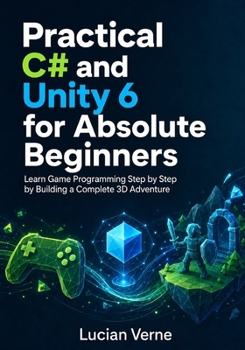
Practical C# and Unity 6 for Absolute Beginners: Learn Game Programming Step by Step by Building a Complete 3D Adventure

Want to create your own game but feel overwhelmed by coding, technical language, or the Unity Editor?
You are not alone-and you do not need previous programming experience to begin.
Practical C# and Unity 6 for Absolute Beginners provides a friendly, structured path from opening Unity for the first time to building, testing, and publishing a complete playable 3D adventure. Every concept is introduced in clear language, demonstrated through manageable steps, and immediately applied to a practical game feature.
Instead of memorising disconnected commands, you will learn C# by making things happen on screen: moving a player, collecting objectives, opening doors, activating checkpoints, confronting enemies, displaying health, saving progress, and completing a working game.
Mistakes are treated as a normal part of learning. Clear verification steps, common-problem sections, practical exercises, and project checkpoints help you identify errors, correct them systematically, and recognise every small success as genuine progress.
Key FeaturesBeginner-friendly explanations with no prior coding knowledge assumed
Step-by-step development of one complete 3D adventure
Practical C# taught directly inside Unity 6
Focused code examples explained before and after implementation
"Check Your Result" and troubleshooting guidance throughout
Hands-on exercises that build confidence and independent problem-solving skills
Coverage from installation and first script to debugging, optimisation, and desktop deployment
What You Will LearnInstall Unity 6 and configure your C# development tools
Understand variables, methods, conditions, loops, classes, arrays, and lists
Work with GameObjects, components, MonoBehaviour, references, and prefabs
Configure the Unity Input System for keyboard and gamepad controls
Build Rigidbody-based player movement and a smooth top-down camera
Create collectibles, keys, doors, switches, hazards, checkpoints, and respawning
Implement health, enemy patrols, detection, pursuit, attacks, victory, and defeat
Add menus, user interfaces, audio, particles, animation, and scene transitions
Use ScriptableObjects, C# events, saved progress, and player preferences
Debug scripts, test gameplay, profile performance, optimise the project, and create a standalone desktop build
Who This Book Is ForThis book is ideal for complete beginners, students, hobbyists, self-learners, aspiring game developers, and anyone who has followed tutorials without fully understanding how the code works. Readers with limited programming experience will also benefit from its practical, project-based approach.
Table of ContentsSetting Up Unity 6 and Writing Your First C# Script
Learning the C# Fundamentals for Game Development
Understanding Unity Components and Reusable Game Objects
Creating Player Movement and Camera Control
Building the Interactive 3D Adventure World
Implementing Health, Enemies, and Game Rules
Adding User Interfaces, Audio, and Game Feedback
Managing Game Data, Saving Progress, and Improving the Code
Debugging, Testing, Optimising, and Building the Game
Your first game does not need to begin with confidence-it can begin with curiosity. Open Unity, follow the steps, learn from each mistake, and turn your ideas into a playable 3D adventure.
Start your coding and game-development journey today.
Customer Reviews
ThriftBooks ® and the ThriftBooks ® logo are registered trademarks of Thrift Books Global, LLC
