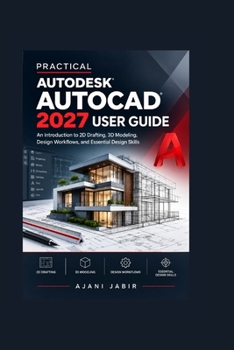
Practical Autodesk AutoCAD 2027 User Guide: An Introduction to 2D Drafting, 3D Modeling, Design Workflows, and Essential Design Skills
No Customer Reviews

An Introduction to 2D Drafting, 3D Modeling, Design Workflows, and Essential Design SkillsReady to move from simply knowing AutoCAD commands to actually creating organized, accurate, professional drawings?
PRACTICAL AUTODESK AUTOCAD 2027 USER GUIDE is designed for learners who want a clear, approachable path through modern AutoCAD workflows without getting buried in complicated explanations. Whether you're starting from the basics or looking to strengthen your existing skills, this book focuses on the tools and techniques you can apply directly to real drawing projects.
From setting up a new drawing to preparing polished PDF deliverables, you'll learn how individual AutoCAD features work together as part of a complete design process. The book also introduces important AutoCAD 2027 capabilities, including Geometry Cleanup, Autodesk Assistant, connected project workflows, and modern approaches to collaboration and drawing management.
What You'll Learn and Gain From This Book:
1. Build a Strong Foundation
Understand the interface, workspaces, commands, navigation tools, settings, and essential drawing controls so you can work with greater confidence.
2. Create Accurate 2D Drawings
Learn how to work with lines, polylines, circles, arcs, shapes, coordinates, Object Snaps, tracking, and precision tools.
3. Organize Drawings Professionally
Use layers, object properties, linetypes, lineweights, blocks, and attributes to keep complex projects structured and manageable.
4. Create Clear Technical Documentation
Work with text, multileaders, dimensions, dimension styles, hatches, and annotation techniques that make drawings easier to understand.
5. Prepare Professional Layouts and PDFs
Learn how to use layouts, viewports, scales, page setups, plot styles, publishing tools, and PDF output for polished final documents.
6. Work More Effectively With Modern Tools
Explore Geometry Cleanup and Autodesk Assistant to help identify drawing issues, investigate project information, and streamline everyday tasks.
7. Understand 3D Modeling Fundamentals
Get introduced to three-dimensional modeling, solids, visual styles, navigation, and visualization without losing sight of practical design applications.
8. Develop Better Professional Workflows
Bring everything together through templates, shortcuts, standards, references, project management, collaboration, troubleshooting, review, and final delivery.
Built for Learning Through Real Work
Instead of treating AutoCAD as a collection of disconnected commands, this book helps you understand when, why, and how to use the tools. You'll discover how a drawing progresses from initial setup and accurate geometry to annotation, layouts, quality control, and final publication.
You can read the book from beginning to end or keep it nearby as a reference when you encounter a specific task.
If you're ready to build stronger drafting habits, understand modern AutoCAD workflows, and create drawings with greater accuracy and confidence, PRACTICAL AUTODESK AUTOCAD 2027 USER GUIDE is a valuable resource to have at your side.
Start learning, start practicing, and start creating better designs with AutoCAD 2027 today.
PRACTICAL AUTODESK AUTOCAD 2027 USER GUIDE is designed for learners who want a clear, approachable path through modern AutoCAD workflows without getting buried in complicated explanations. Whether you're starting from the basics or looking to strengthen your existing skills, this book focuses on the tools and techniques you can apply directly to real drawing projects.
From setting up a new drawing to preparing polished PDF deliverables, you'll learn how individual AutoCAD features work together as part of a complete design process. The book also introduces important AutoCAD 2027 capabilities, including Geometry Cleanup, Autodesk Assistant, connected project workflows, and modern approaches to collaboration and drawing management.
What You'll Learn and Gain From This Book:
1. Build a Strong Foundation
Understand the interface, workspaces, commands, navigation tools, settings, and essential drawing controls so you can work with greater confidence.
2. Create Accurate 2D Drawings
Learn how to work with lines, polylines, circles, arcs, shapes, coordinates, Object Snaps, tracking, and precision tools.
3. Organize Drawings Professionally
Use layers, object properties, linetypes, lineweights, blocks, and attributes to keep complex projects structured and manageable.
4. Create Clear Technical Documentation
Work with text, multileaders, dimensions, dimension styles, hatches, and annotation techniques that make drawings easier to understand.
5. Prepare Professional Layouts and PDFs
Learn how to use layouts, viewports, scales, page setups, plot styles, publishing tools, and PDF output for polished final documents.
6. Work More Effectively With Modern Tools
Explore Geometry Cleanup and Autodesk Assistant to help identify drawing issues, investigate project information, and streamline everyday tasks.
7. Understand 3D Modeling Fundamentals
Get introduced to three-dimensional modeling, solids, visual styles, navigation, and visualization without losing sight of practical design applications.
8. Develop Better Professional Workflows
Bring everything together through templates, shortcuts, standards, references, project management, collaboration, troubleshooting, review, and final delivery.
Built for Learning Through Real Work
Instead of treating AutoCAD as a collection of disconnected commands, this book helps you understand when, why, and how to use the tools. You'll discover how a drawing progresses from initial setup and accurate geometry to annotation, layouts, quality control, and final publication.
You can read the book from beginning to end or keep it nearby as a reference when you encounter a specific task.
If you're ready to build stronger drafting habits, understand modern AutoCAD workflows, and create drawings with greater accuracy and confidence, PRACTICAL AUTODESK AUTOCAD 2027 USER GUIDE is a valuable resource to have at your side.
Start learning, start practicing, and start creating better designs with AutoCAD 2027 today.
Format:Paperback
Language:English
ISBN:B0HJZCR9YR
ISBN13:9798174619241
Release Date:September 2026
Publisher:Independently Published
Length:128 Pages
Weight:0.40 lbs.
Dimensions:0.3" x 6.0" x 9.0"
Customer Reviews
0 rating
Copyright © 2026 Thriftbooks.com
Terms of Use | Privacy Policy | Do Not Sell/Share My Personal Information | Cookie Notice | Cookie Preferences | Accessibility Statement
ThriftBooks ® and the ThriftBooks ® logo are registered trademarks of Thrift Books Global, LLC
ThriftBooks ® and the ThriftBooks ® logo are registered trademarks of Thrift Books Global, LLC