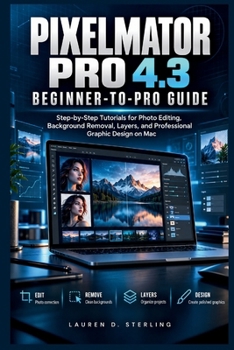
Pixelmator Pro 4.3 Beginner-to-Pro Guide: Step-by-Step Tutorials for Photo Editing, Background Removal, Layers, and Professional Graphic Design on Mac

Struggling to edit photos, remove backgrounds, or create professional-looking graphics with Pixelmator Pro on your Mac?
Pixelmator Pro offers powerful creative tools, but learning how to use layers, masks, color adjustments, and design controls can feel confusing at first. Without clear guidance, even simple editing tasks may take longer than expected. Pixelmator Pro 4.3 Beginner-to-Pro Guide provides a practical learning path for beginners, students, photographers, and aspiring graphic designers who want to develop useful editing skills without unnecessary technical complexity. Through clear explanations, step-by-step tutorials, instructional illustrations, and hands-on projects, this guide shows you how to improve photographs, remove unwanted backgrounds, organize layers, create attractive graphics, and prepare finished designs for sharing or printing. Every lesson connects an editing tool to a practical task, helping you understand not just what to click, but why each adjustment matters.What's insideWorkspace and Setup: Install Pixelmator Pro, navigate its interface, and configure essential editing preferences.
Photo Enhancement: Correct exposure, contrast, colors, white balance, sharpness, and image quality.
Layers and Masks: Organize creative elements, make precise selections, and control complex compositions.
Background Removal: Isolate subjects, refine difficult edges, remove unwanted objects, and retouch photographs naturally.
Graphic Design: Create posters, social media graphics, promotional materials, and editable vector artwork.
Efficient Workflows: Explore supported generative tools, reusable presets, templates, and keyboard shortcuts.
Export and Troubleshooting: Choose suitable file formats, preserve editable projects, and resolve common editing problems.
Who's this guide for?Complete beginners who want straightforward instructions without confusing terminology.
Photographers and hobbyists seeking better photo correction and retouching skills.
Content creators and small business owners producing promotional graphics and digital designs.
Mac users and aspiring designers who want to progress from simple edits to more advanced creative projects.
By the end of this guide, you will be able to: Navigate Pixelmator Pro and select appropriate editing tools.Improve photographs while preserving important image details.Remove backgrounds and create realistic image compositions.Design coordinated graphics using text, shapes, and layers.Export finished projects with suitable dimensions, quality, and color settings.Identify and correct common editing mistakes independently.Develop a practical editing workflow that turns creative ideas into organized, polished, and reusable designs.
Keep this guide close as you build your skills and take on more demanding projects. Click the BUY NOW BUTTON to start creating and editing with greater confidence on your MacCustomer Reviews
ThriftBooks ® and the ThriftBooks ® logo are registered trademarks of Thrift Books Global, LLC