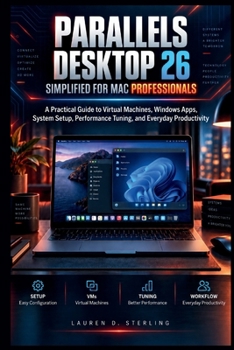
Parallels Desktop 26 Simplified For Mac Professionals: A Practical Guide to Virtual Machines, Windows Apps, System Setup, Performance Tuning, and Ever
No Customer Reviews

How can you run Windows applications on your Mac without feeling overwhelmed by virtual machines, settings, and system options?
Many Mac users need access to Windows software for work, development, business tasks, education, or specialized applications but struggle with installation steps, configuration choices, performance settings, and managing two operating systems together. Without clear guidance, it can be difficult to know how to set up the environment correctly, avoid common mistakes, and create a smooth daily workflow. This practical guide helps Mac users understand and manage Parallels Desktop 26 with confidence. It explains the essential concepts behind virtualization, guides readers through setup and configuration, and provides practical knowledge for running Windows and other operating systems alongside macOS. Designed for beginners and experienced Mac users who want a clearer understanding, this book focuses on real-world use rather than unnecessary complexity. Readers will learn how to prepare their Mac, create virtual machines, install operating systems, manage settings, improve performance, protect their data, and troubleshoot common issues.With clear explanations, practical instructions, and workflow-focused guidance, this book helps readers build a reliable virtual computing environment that fits their personal and professional needs.
A practical guide that turns virtualization from a confusing setup process into a manageable everyday workflow.What's insideClear explanations of virtualization and how Parallels Desktop works on modern MacsStep-by-step guidance for preparing, installing, and configuring virtual machinesPractical methods for running Windows applications alongside macOSPerformance tuning techniques for memory, CPU, storage, and system efficiencySecurity practices for protecting virtual machines, files, and settingsTroubleshooting guidance for installation, connection, and system problemsOrganization strategies for managing virtual machines and long-term useWho's this guide for?Mac professionals who need Windows applications for work and productivityBeginners who want to understand virtualization without technical confusionStudents and learners who need access to different operating systemsBusiness users managing cross-platform workflowsExperienced Mac users who want better control over their virtual environmentsBy the end of this guide, you will be able to: Understand how virtualization works and how Parallels Desktop fits into a Mac workflowPrepare your Mac correctly before creating a virtual machineInstall and configure Windows inside a virtual environmentManage applications, files, devices, and settings across macOS and WindowsImprove virtual machine performance and maintain a smoother experienceApply practical troubleshooting methods when problems occurCreate an organized virtual computing setup for everyday tasks
This guide is designed to help you work more effectively with Parallels Desktop by building practical skills you can apply in real situations. It gives you the knowledge needed to manage your Mac and virtual environments with greater clarity and confidence.
Start building your virtual workflow today with the BUY NOW BUTTON.
Format:Paperback
Language:English
ISBN:B0HJRQPQXK
ISBN13:9798174178021
Release Date:September 2026
Publisher:Independently Published
Length:162 Pages
Weight:0.50 lbs.
Dimensions:0.3" x 6.0" x 9.0"
Customer Reviews
0 rating
Copyright © 2026 Thriftbooks.com
Terms of Use | Privacy Policy | Do Not Sell/Share My Personal Information | Cookie Notice | Cookie Preferences | Accessibility Statement
ThriftBooks ® and the ThriftBooks ® logo are registered trademarks of Thrift Books Global, LLC
ThriftBooks ® and the ThriftBooks ® logo are registered trademarks of Thrift Books Global, LLC