Useful for anyone who designs Windows software, the
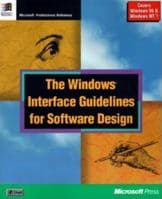
Microsoft Windows User Experience is the official guide to creating UIs that take full advantage of Windows 2000. Part style guide and part user interface design how-to, this book provides a worthwhile reference for understanding the larger philosophy and details needed to create effective interfaces for Windows-based software.
This title is first and foremost a style guide for Windows 2000, listing principles for creating effective user interfaces. It is chock-full of examples describing successes and failures in UI design (for example, how to give effective feedback to users for error messages and how to design visually appealing software that fits in with the rest of the operating system). Besides enumerating common UI features (from windows to menus to working with the mouse and keyboard), this book also explores the essential nitty-gritty details that will help your team create software that works effectively with Windows. (For instance, this text lists the Registry keys required while installing--and uninstalling--software, along with important Windows shell conventions and APIs.) Additional material on localization will help your software adapt to worldwide markets.
Sure, the best way to learn Windows conventions is to use the interface firsthand. But the Microsoft Windows User Experience goes further with an essential, easy-to-comprehend guide that details what today's applications must do to be good citizens of the Windows desktop. Every software team will need to have at least one copy on hand to see what's available for interfaces on the latest Microsoft platform. --Richard Dragan
Topics covered: Windows 2000 and Windows 98 user interface guidelines, tips for good interfaces, user-centered design principles: directness, consistency, forgiveness, simplicity, usability, iterative design cycles, data-centered design, objects as metaphors, the Windows desktop and taskbar, icons, windows, mouse and keyboard input, general interaction techniques, navigation, selection, direct manipulation, window attributes and operations, menus and toolbars, standard and common Windows controls, secondary windows, property sheets, dialog boxes, message boxes, single document and multiple document interface (MDI) applications, Web-application interfaces, the Windows file system, installation and the system registry, using the Windows shell, OLE embedded and linked objects, help systems and HTML Help, designing wizards, visual design guidelines, tips for accessibility for users with disabilities, tips for internationalization and localization. This description may be from another edition of this product.