


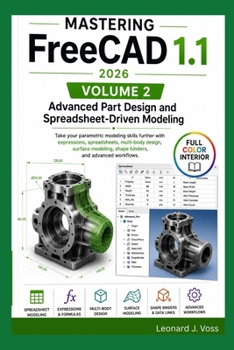
Mastering FreeCAD 1.1 (2026)- Volume 2: Advanced Part Design and Spreadsheet-Driven Modeling

You've mastered the basics. Now it's time to design like a professional.
Mastering FreeCAD 1.1 (2026) - Volume 2: Advanced Part Design and Spreadsheet-Driven Modeling is your complete guide to the powerful tools and techniques that separate beginner CAD users from confident designers.
If you've ever wondered how experienced engineers create intelligent, configurable models that update automatically with just a few clicks, this book will show you exactly how.
Through practical examples, full-color illustrations, and real-world projects, you'll learn how to build smarter, more flexible designs that are easier to modify, reuse, and maintain.
Inside You'll DiscoverMaster expressions and formula-based modeling
Build spreadsheet-driven parametric designs
Create configurable parts that update automatically
Organize complex multi-body models with confidence
Use Shape Binders and reference geometry correctly
Design smooth surfaces and convert them into solids
Import, repair, and modify STEP, IGES, and STL files
Repair meshes and reverse engineer existing models
Prevent topological naming issues and broken references
Complete advanced projects using professional CAD workflows
Why This Book Stands OutUnlike scattered online tutorials, this guide follows a structured learning path that builds your knowledge step by step. Every chapter expands on concepts introduced earlier, helping you understand not only how to use FreeCAD-but why professional designers use these techniques.
Whether you're designing mechanical components, creating configurable product families, preparing models for manufacturing, or improving your engineering workflow, the skills in this book will help you work faster, smarter, and with greater confidence.
Perfect ForFreeCAD users ready to move beyond the basics
Mechanical engineers
Product designers
Makers and hobbyists
Students and educators
CNC and 3D printing enthusiasts
Anyone interested in advanced parametric CAD
Continue Your FreeCAD JourneyThis is Volume 2 of the Mastering FreeCAD 1.1 (2026) series.
After completing this volume, continue with Volume 3: Assemblies, Technical Drawings, and Digital Manufacturing, where you'll learn how to assemble complete products, produce professional engineering drawings, generate bills of materials, prepare models for CNC machining, and optimize designs for 3D printing.
Take your FreeCAD skills beyond basic modeling and start building intelligent, production-ready designs today.
Customer Reviews
ThriftBooks ® and the ThriftBooks ® logo are registered trademarks of Thrift Books Global, LLC
