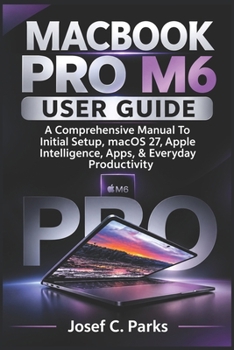
Macbook Pro M6 User Guide: A Comprehensive Manual To Initial Setup, macOS 27, Apple Intelligence, Apps, & Everyday Productivity
No Customer Reviews

New to Mac? Make your MacBook Pro M6 feel familiar, useful, and easier to navigate with a practical user guide to setup, macOS 27, Apple Intelligence, apps, and everyday productivity.
A new Mac can feel unfamiliar at first. You may be unsure where to begin, how Mac keyboard shortcuts differ, where to find settings, or how to connect your devices and get everyday tasks done. If you are moving from Windows or using a Mac for the first time, a little clear guidance can make the experience much more comfortable.
MACBOOK PRO M6 USER GUIDE by Josef C. Parks walks you through the essentials in a logical, beginner-friendly order. Follow straightforward instructions to prepare your computer, understand its main controls, connect to important services, use built-in apps, and work through common problems. You can move at your own pace and return to the relevant chapter whenever you need help.
Inside This Guide, You Will Learn How To: Unbox and prepare your MacBook, complete the initial macOS setup, and configure your Apple Account.Use the keyboard, essential shortcuts, trackpad gestures, and compatible external mouse and keyboard.Navigate the macOS 27 desktop, menu bar, Dock, Control Center, and Notification Center.Connect to Wi-Fi and pair, manage, and troubleshoot Bluetooth accessories.Set up iCloud and use iCloud Drive to access your documents.Open, close, find, download, and switch between apps, and organize app windows.Browse the internet with Safari, send and receive email with Mail, and make FaceTime calls.Get started with Apple Intelligence and Siri, and understand where these tools fit into everyday tasks.Work through common issues involving startup, charging and battery use, Wi-Fi, apps, and other MacBook functions.Who This Book Is For
This guide is suitable for first-time Mac users, people switching from Windows, students, seniors, professionals, and everyday users who want clear help getting started and using their MacBook with confidence.
Why Choose This Guide?
The chapters follow a practical learning path, from unboxing and initial setup to everyday use and troubleshooting. Instructions are written in accessible language, with step-by-step explanations, useful tips, and problem-solving guidance to help you find your way without feeling overwhelmed.
Make your new MacBook Pro M6 easier to understand and more useful in your daily routine. Scroll up and click Buy Now to get started with this practical user guide.
A new Mac can feel unfamiliar at first. You may be unsure where to begin, how Mac keyboard shortcuts differ, where to find settings, or how to connect your devices and get everyday tasks done. If you are moving from Windows or using a Mac for the first time, a little clear guidance can make the experience much more comfortable.
MACBOOK PRO M6 USER GUIDE by Josef C. Parks walks you through the essentials in a logical, beginner-friendly order. Follow straightforward instructions to prepare your computer, understand its main controls, connect to important services, use built-in apps, and work through common problems. You can move at your own pace and return to the relevant chapter whenever you need help.
Inside This Guide, You Will Learn How To: Unbox and prepare your MacBook, complete the initial macOS setup, and configure your Apple Account.Use the keyboard, essential shortcuts, trackpad gestures, and compatible external mouse and keyboard.Navigate the macOS 27 desktop, menu bar, Dock, Control Center, and Notification Center.Connect to Wi-Fi and pair, manage, and troubleshoot Bluetooth accessories.Set up iCloud and use iCloud Drive to access your documents.Open, close, find, download, and switch between apps, and organize app windows.Browse the internet with Safari, send and receive email with Mail, and make FaceTime calls.Get started with Apple Intelligence and Siri, and understand where these tools fit into everyday tasks.Work through common issues involving startup, charging and battery use, Wi-Fi, apps, and other MacBook functions.Who This Book Is For
This guide is suitable for first-time Mac users, people switching from Windows, students, seniors, professionals, and everyday users who want clear help getting started and using their MacBook with confidence.
Why Choose This Guide?
The chapters follow a practical learning path, from unboxing and initial setup to everyday use and troubleshooting. Instructions are written in accessible language, with step-by-step explanations, useful tips, and problem-solving guidance to help you find your way without feeling overwhelmed.
Make your new MacBook Pro M6 easier to understand and more useful in your daily routine. Scroll up and click Buy Now to get started with this practical user guide.
Format:Paperback
Language:English
ISBN:B0HQPSBD29
ISBN13:9798140418649
Release Date:November 2026
Publisher:Independently Published
Length:226 Pages
Weight:0.68 lbs.
Dimensions:0.5" x 6.0" x 9.0"
Customer Reviews
0 rating
Copyright © 2026 Thriftbooks.com
Terms of Use | Privacy Policy | Do Not Sell/Share My Personal Information | Cookie Notice | Cookie Preferences | Accessibility Statement
ThriftBooks ® and the ThriftBooks ® logo are registered trademarks of Thrift Books Global, LLC
ThriftBooks ® and the ThriftBooks ® logo are registered trademarks of Thrift Books Global, LLC