


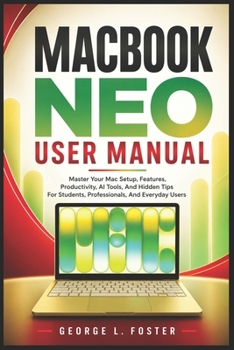
Macbook Neo User Manual: Master Your Mac Setup, Features, Productivity, AI Tools, And Hidden Tips For Students, Professionals, And Everyday Users
No Customer Reviews

You Just Unboxed a MacBook Neo. Now What? Whether you're a first-time Mac user, a student heading into a new semester, or a professional making the switch from Windows, the MacBook Neo is a powerful machine but only if you know how to use it. Most people tap into a fraction of what their computer can do, spending hours hunting through settings, Googling basic tasks, and missing the features that could transform how they work every day. MacBook Neo User Manual is the practical, plain-English guide that takes you from unboxing to full confidence step by step, without the technical jargon. Written specifically for the MacBook Neo's A18 Pro architecture, Liquid Retina display, Apple Intelligence tools, and macOS ecosystem, this guide covers everything from first-time setup to advanced productivity techniques that even experienced Mac users overlook.
Inside this book, you'll discover how to: Set up your MacBook Neo quickly and correctly from the moment you open the boxConnect to Wi-Fi, manage networks, and troubleshoot common wireless problemsMaster the Multi-Touch trackpad gestures that make navigation faster and more intuitiveUse Touch ID, function keys, and keyboard shortcuts to work smarter every dayConfigure your Apple Account, iCloud storage, and cross-device synchronizationManage Family Sharing, parental controls, subscriptions, and trusted devicesTransfer files wirelessly with AirDrop - no cables, no cloud, no hassleConnect external displays, printers, and accessories for a full workstation setupCustomize Notification Center, Control Center, and widgets to match your workflowInstall, update, and organize apps safely using the App Store and developer sitesBrowse faster and more securely with Safari's built-in privacy and tab toolsUse Siri and Apple Intelligence features to write, summarize, and automate tasksReveal hidden files, create text shortcuts, and unlock Hot Corners for power usersCapture screenshots and record your screen without any third-party softwareTroubleshoot the most common MacBook Neo problems with step-by-step solutionsWhat makes this guide stand out is its commitment to clarity. Every chapter is written in a friendly, approachable tone with real-world examples, numbered steps, and practical tips you can apply immediately. There's no assumed knowledge - if you've never owned a Mac before, you'll feel right at home. And if you're upgrading from Windows, dedicated transition guidance helps bridge the gap so you're up to speed faster.
From managing battery performance and optimizing iCloud storage to mastering Spotlight, Siri, and the built-in screen capture tools, this manual covers the features that matter most to students, remote workers, creative professionals, and everyday users alike.
Your MacBook Neo is capable of far more than you realize. Get your copy today and start using it to its full potential.
Inside this book, you'll discover how to: Set up your MacBook Neo quickly and correctly from the moment you open the boxConnect to Wi-Fi, manage networks, and troubleshoot common wireless problemsMaster the Multi-Touch trackpad gestures that make navigation faster and more intuitiveUse Touch ID, function keys, and keyboard shortcuts to work smarter every dayConfigure your Apple Account, iCloud storage, and cross-device synchronizationManage Family Sharing, parental controls, subscriptions, and trusted devicesTransfer files wirelessly with AirDrop - no cables, no cloud, no hassleConnect external displays, printers, and accessories for a full workstation setupCustomize Notification Center, Control Center, and widgets to match your workflowInstall, update, and organize apps safely using the App Store and developer sitesBrowse faster and more securely with Safari's built-in privacy and tab toolsUse Siri and Apple Intelligence features to write, summarize, and automate tasksReveal hidden files, create text shortcuts, and unlock Hot Corners for power usersCapture screenshots and record your screen without any third-party softwareTroubleshoot the most common MacBook Neo problems with step-by-step solutionsWhat makes this guide stand out is its commitment to clarity. Every chapter is written in a friendly, approachable tone with real-world examples, numbered steps, and practical tips you can apply immediately. There's no assumed knowledge - if you've never owned a Mac before, you'll feel right at home. And if you're upgrading from Windows, dedicated transition guidance helps bridge the gap so you're up to speed faster.
From managing battery performance and optimizing iCloud storage to mastering Spotlight, Siri, and the built-in screen capture tools, this manual covers the features that matter most to students, remote workers, creative professionals, and everyday users alike.
Your MacBook Neo is capable of far more than you realize. Get your copy today and start using it to its full potential.
Format:Paperback
Language:English
ISBN:B0H6SYQC8J
ISBN13:9798184559933
Release Date:June 2026
Publisher:Independently Published
Length:278 Pages
Weight:0.83 lbs.
Dimensions:0.6" x 6.0" x 9.0"
Customer Reviews
0 rating
Copyright © 2026 Thriftbooks.com
Terms of Use | Privacy Policy | Do Not Sell/Share My Personal Information | Cookie Policy | Cookie Preferences | Accessibility Statement
ThriftBooks ® and the ThriftBooks ® logo are registered trademarks of Thrift Books Global, LLC
ThriftBooks ® and the ThriftBooks ® logo are registered trademarks of Thrift Books Global, LLC
