


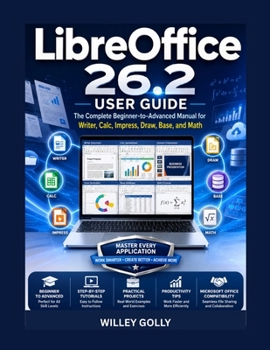
LibreOffice 26.2 User Guide: The Complete Beginner-to-Advanced Manual for Writer, Calc, Impress, Draw, Base, and Math

Master LibreOffice 26.2 with confidence-even if you've never used it before.
Whether you're a student, teacher, business professional, freelancer, entrepreneur, or home user, LibreOffice 26.2 User Guide: The Complete Beginner-to-Advanced Manual for Writer, Calc, Impress, Draw, Base, and Math is your all-in-one resource for unlocking the full power of the world's leading free office productivity suite.
Designed with practical, step-by-step instruction, this comprehensive guide takes you from the basics to advanced techniques, helping you create professional documents, powerful spreadsheets, engaging presentations, technical drawings, organized databases, and mathematical formulas-all without the need for expensive subscription software.
Unlike quick online tutorials that only scratch the surface, this book provides clear explanations, real-world workflows, expert tips, and hands-on guidance to help you work smarter and more efficiently with every LibreOffice application.
Inside this book, you'll learn how to:
Install and configure LibreOffice 26.2 for maximum performance
Navigate the interface with confidence
Create beautifully formatted documents using Writer
Build powerful spreadsheets with formulas, functions, charts, and Pivot Tables in Calc
Design professional presentations in Impress
Create diagrams, flowcharts, brochures, and edit PDF files with Draw
Build and manage databases using Base
Write mathematical equations and scientific formulas with Math
Share files with Microsoft Office users while maintaining compatibility
Use templates, styles, AutoText, AutoCorrect, and macros to save time
Customize LibreOffice to fit your personal workflow
Troubleshoot common problems and recover documents
Optimize performance, improve security, and protect your work
Develop efficient workflows that connect every LibreOffice application together
This guide is ideal for:
- Beginners learning LibreOffice for the first time
- Microsoft Office users switching to LibreOffice
- Students and educators
- Small business owners and entrepreneurs
- Office professionals and administrative staff
- Remote workers and freelancers
- Researchers and technical writers
- Anyone looking for a powerful, free office productivity solution
With detailed explanations, practical examples, professional best practices, and easy-to-follow instructions, this book helps you avoid common mistakes while building the confidence to use LibreOffice efficiently in both personal and professional environments.
If you want to write better documents, analyze data more effectively, deliver impressive presentations, create professional graphics, manage information efficiently, and become significantly more productive with LibreOffice 26.2, this guide provides everything you need to succeed.
Customer Reviews
ThriftBooks ® and the ThriftBooks ® logo are registered trademarks of Thrift Books Global, LLC
