


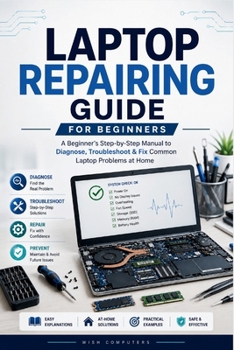
Laptop Repairing Guide (Basic): A Beginner's Step-by-Step Manual to Diagnose, Troubleshoot & Fix Common Laptop Problems at Home

A slow laptop, charging problem, overheating system, blank screen, keyboard failure, Wi-Fi issue, or Windows startup error can be frustrating when you do not know where to begin. Before replacing expensive parts or paying for unnecessary repairs, it helps to understand the most common causes and follow a logical troubleshooting process.
Laptop Repairing Guide is a practical, beginner-friendly laptop troubleshooting and repair book designed for home users, students, self-learners, and anyone who wants to better understand how laptops work. Written in clear, straightforward language, this guide explains common laptop hardware and software problems without overwhelming technical jargon or complicated electronics theory.
Inside this book, you will learn how to:
- Understand the key components of a laptop, including the battery, charger, screen, RAM, SSD, keyboard, touchpad, cooling system, ports, wireless hardware, and motherboard
- Troubleshoot common laptop problems such as no power, charging failures, overheating, slow performance, blank screens, startup errors, keyboard issues, touchpad malfunctions, and Wi-Fi connectivity problems
- Identify possible causes behind hardware and software faults using a step-by-step diagnostic approach
- Perform basic laptop maintenance to help improve performance, reliability, and system longevity
- Recognize common battery, charging, storage, memory, display, cooling, and Windows-related issues
- Protect important files and personal data before repairs, upgrades, system recovery, formatting, or Windows reinstallation
- Understand essential BIOS and UEFI settings used during troubleshooting and startup diagnosis
- Follow safe inspection procedures before opening a laptop or replacing components
- Avoid common beginner mistakes that can lead to unnecessary costs, data loss, or additional damage
- Determine when a problem may be suitable for home troubleshooting and when professional repair assistance is the safer option
Unlike advanced electronics or motherboard-level repair manuals, this guide focuses on practical troubleshooting, preventive maintenance, and real-world laptop problems that everyday users commonly encounter. It does not promise that every laptop issue can be fixed at home. Instead, it teaches a structured approach to diagnosis, helping you understand symptoms, narrow down possible causes, and make informed repair decisions.
This book is ideal for:
- Complete beginners with little or no technical experience
- Students learning computer repair and hardware fundamentals
- Home users who want to maintain their laptops with greater confidence
- DIY learners interested in laptop troubleshooting and computer maintenance
- Readers preparing to advance toward more detailed computer hardware repair studies
Included throughout the guide are educational illustrations, troubleshooting flowcharts, maintenance checklists, diagnostic worksheets, practical examples, safety guidance, and quick symptom-to-cause reference tools designed to make learning easier and more effective.
Whether your laptop will not power on, refuses to charge, runs unusually slow, overheats during normal use, displays startup errors, or experiences wireless connectivity problems, this guide provides a clear starting point for understanding the issue and choosing the most sensible next step.
Learn the basics. Troubleshoot with confidence. Maintain your laptop more effectively. Know when professional repair is the right choice.
Customer Reviews
ThriftBooks ® and the ThriftBooks ® logo are registered trademarks of Thrift Books Global, LLC
