


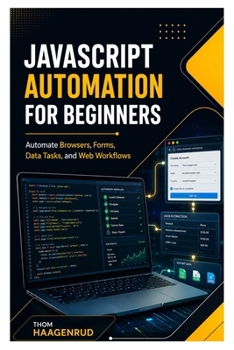
JavaScript Automation for Beginners: Automate Browsers, Forms, Data Tasks, and Web Workflows

Do you know some JavaScript but want to use it for practical automation instead of only building web pages?
JavaScript Automation for Beginners is a hands-on guide to using JavaScript as a real-world automation tool for browsers, forms, files, data, APIs, reports, and repeatable web workflows. Written for beginner and early intermediate learners, it shows you how to turn repetitive technical tasks into clear, responsible, and reliable scripts.
This book begins with the foundations of automation: understanding the task, identifying inputs and outputs, choosing the right approach, and planning for failure before writing code. From there, you will set up a clean Node.js workspace, organize scripts with npm, work with local files, process structured data, call APIs, inspect web pages, and automate browser actions with Playwright.
Instead of teaching automation as disconnected tricks, this guide focuses on workflows you can understand, test, repeat, and improve.
Inside this practical guide, you will learn how to:
- Understand what JavaScript automation is and when it should be used
- Choose between browser automation, API automation, and file automation
- Set up a clean Node.js automation workspace
- Use npm scripts to run repeatable commands
- Organize folders for source files, data, output, and logs
- Work with ES modules, helper functions, paths, and reusable commands
- Use JavaScript variables, arrays, objects, functions, conditions, loops, and dates in automation scripts
- Read and write text files safely
- Create folders and organize output files
- Send GET and POST requests
- Read API responses and handle status codes
- Work with JSON data from public APIs
- Save automation results as JSON and CSV files
- Automate permitted login workflows with safer credential handling
- Use environment variables instead of hardcoded secrets
- Reuse authenticated sessions responsibly
- Capture screenshots, handle downloads, generate PDFs, and create reports
- Add error handling, logging, retries, and recovery steps
- Save failed cases for later review
- Schedule scripts as repeatable workflows
- Run automation in local and CI environments
- Build a complete JavaScript automation project from planning to final output
The examples are built around realistic work: health-check scripts, task runners, contact-list cleaning, API data collection, table extraction, form automation, browser audit reports, data-cleaning reports, private practice dashboards, daily data collection, and complete browser-based workflow automation.
The book also teaches responsible automation from the beginning. You will learn why scripts should not bypass security controls, ignore website terms, overload services, or mishandle sensitive information. The focus is on legitimate work you are allowed to perform, with clear outputs, safe configuration, useful logs, and careful recovery planning.
No advanced programming experience is required. You should know basic JavaScript syntax and recognize common HTML elements such as links, buttons, forms, inputs, tables, headings, and paragraphs. The book explains the automation-specific skills step by step.
Whether you are a student, office worker, support technician, QA learner, web developer, operations assistant, freelancer, small-business owner, career changer, or self-taught programmer, this book gives you a practical path into automation with JavaScript.
Stop repeating the same browser, file, form, and data tasks by hand. Learn how to plan workflows, write dependable scripts, collect clean results, and build automation projects you can explain, maintain, and improve.
Customer Reviews
ThriftBooks ® and the ThriftBooks ® logo are registered trademarks of Thrift Books Global, LLC
