


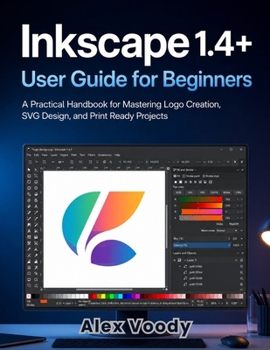
Inkscape 1.4+ User Guide for Beginners: A Practical Handbook for Mastering Logo Creation, SVG Design, and Print Ready Projects
No Customer Reviews

Stop fighting free software that's supposed to make your life easier.
Inkscape 1.4+ User Guide for Beginners is a complete, step-by-step handbook for anyone who wants to create professional logos, clean SVG files, and print-ready graphics using Inkscape without paying for expensive software or piecing together scattered YouTube tutorials. INSIDE, YOU'LL LEARN HOW TO: Set up Inkscape correctly from day one - fix the broken default canvas, configure your workspace, and stop fighting the interface before you've even drawn a shapeMaster vector drawing fundamentals - shapes, precision selection, and the Bezier pen tool, explained in plain language instead of technical jargonDesign a complete logo from concept to final export - including Boolean operations, color theory for both screen and print, and building an export package clients will actually acceptTrace and convert raster images into clean vector art - without the jagged, messy results most beginners give up onPrepare true print-ready files - bleed, crop marks, resolution, and CMYK vs. RGB color modes explained so your printed work never comes back looking wrongTroubleshoot the most common Inkscape errors - corrupted files, objects that won't align, performance lag, and export glitches, solvedBuild a faster, more professional workflow - shortcuts, templates, symbol libraries, and extensions that turn Inkscape into a real production toolWhether you're a small business owner designing your own brand identity, a freelancer building a graphic design portfolio, an Etsy seller creating SVG files for cutting machines, or simply someone tired of paying for Adobe Illustrator, this guide takes you from a blank canvas to confident, professional output using nothing but free, open-source software. A NOTE ON VERSIONS: this guide was developed using Inkscape 1.4.2 and covers the broader 1.4.x release line. Inkscape ships frequent maintenance updates, so if you're running a later 1.4.x point release, every tool, workflow, and technique in this book still applies, you may just notice a handful of menu labels or default settings looking slightly different from what's pictured.
Every chapter is built around real problems real users report, not a generic feature tour with screenshots and clear explanations at every step. IF YOU'RE READY TO FINALLY STOP GUESSING AND START DESIGNING, SCROLL UP AND GRAB YOUR COPY TODAY.
Inkscape 1.4+ User Guide for Beginners is a complete, step-by-step handbook for anyone who wants to create professional logos, clean SVG files, and print-ready graphics using Inkscape without paying for expensive software or piecing together scattered YouTube tutorials. INSIDE, YOU'LL LEARN HOW TO: Set up Inkscape correctly from day one - fix the broken default canvas, configure your workspace, and stop fighting the interface before you've even drawn a shapeMaster vector drawing fundamentals - shapes, precision selection, and the Bezier pen tool, explained in plain language instead of technical jargonDesign a complete logo from concept to final export - including Boolean operations, color theory for both screen and print, and building an export package clients will actually acceptTrace and convert raster images into clean vector art - without the jagged, messy results most beginners give up onPrepare true print-ready files - bleed, crop marks, resolution, and CMYK vs. RGB color modes explained so your printed work never comes back looking wrongTroubleshoot the most common Inkscape errors - corrupted files, objects that won't align, performance lag, and export glitches, solvedBuild a faster, more professional workflow - shortcuts, templates, symbol libraries, and extensions that turn Inkscape into a real production toolWhether you're a small business owner designing your own brand identity, a freelancer building a graphic design portfolio, an Etsy seller creating SVG files for cutting machines, or simply someone tired of paying for Adobe Illustrator, this guide takes you from a blank canvas to confident, professional output using nothing but free, open-source software. A NOTE ON VERSIONS: this guide was developed using Inkscape 1.4.2 and covers the broader 1.4.x release line. Inkscape ships frequent maintenance updates, so if you're running a later 1.4.x point release, every tool, workflow, and technique in this book still applies, you may just notice a handful of menu labels or default settings looking slightly different from what's pictured.
Every chapter is built around real problems real users report, not a generic feature tour with screenshots and clear explanations at every step. IF YOU'RE READY TO FINALLY STOP GUESSING AND START DESIGNING, SCROLL UP AND GRAB YOUR COPY TODAY.
Format:Paperback
Language:English
ISBN:B0H95JMKW6
ISBN13:9798187582914
Release Date:July 2026
Publisher:Independently Published
Length:158 Pages
Weight:0.84 lbs.
Dimensions:0.3" x 8.5" x 11.0"
Customer Reviews
0 rating
Copyright © 2026 Thriftbooks.com
Terms of Use | Privacy Policy | Do Not Sell/Share My Personal Information | Cookie Policy | Cookie Preferences | Accessibility Statement
ThriftBooks ® and the ThriftBooks ® logo are registered trademarks of Thrift Books Global, LLC
ThriftBooks ® and the ThriftBooks ® logo are registered trademarks of Thrift Books Global, LLC
