


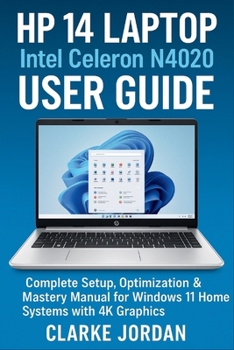
HP 14 Laptop Intel Celeron N4020 User Guide: Complete Setup, Optimization & Mastery Manual for Windows 11 Home Systems with 4K Graphics

Transform Your HP 14 Laptop Into a Productivity Powerhouse - Master Every Feature and Maximize Performance
Are you ready to unlock the hidden potential of your HP 14 laptop? This isn't just another generic computer manual - it's your comprehensive roadmap to mastering every aspect of your Intel Celeron N4020 system and turning hardware limitations into optimization opportunities.
What Makes This Guide Different:
Unlike basic setup guides that barely scratch the surface, this 300+ page manual dives deep into the specific capabilities of your HP 14, showing you how to maximize performance with 4GB RAM and 64GB storage through proven optimization techniques that actually work. You'll discover professional-level tips for Windows 11 Home, advanced Microsoft 365 integration strategies, and how to leverage your laptop's 4K graphics capabilities for both productivity and entertainment.
What You'll Master:
✓ Complete Setup Mastery - From unboxing to advanced configuration, set up your laptop like a pro ✓ Hardware Deep Dive - Understand your Intel Celeron N4020 processor and optimize every component ✓ Windows 11 Command Center - Navigate, customize, and optimize your operating system for peak performance
✓ Microsoft 365 Powerhouse - Maximize your included subscription with advanced Word, Excel, PowerPoint, and Teams techniques ✓ Performance Optimization Secrets - Get blazing-fast performance from 4GB RAM through expert memory management and storage optimization ✓ Connectivity & Multimedia Excellence - Master WiFi, Bluetooth, 4K graphics, and entertainment features ✓ Long-term Maintenance - Keep your laptop running smoothly for years with professional maintenance schedules
Perfect For:
Students who need maximum productivity from their laptop investmentProfessionals wanting to optimize their mobile workspaceAnyone frustrated with slow performance who wants to unlock their laptop's true potentialUsers who want to master Microsoft 365 integration and cloud productivityTechnology enthusiasts seeking detailed hardware and software optimization knowledgeReal Results You Can Expect:
Dramatically faster boot times and application performanceExtended battery life through intelligent power managementProfessional-level Microsoft 365 productivity workflowsSeamless multimedia and entertainment experiencesConfidence to troubleshoot and optimize independentlyBonus Features:
Complete technical specifications referenceKeyboard shortcuts quick-reference guideVisual troubleshooting flowchartsWarranty and support informationComprehensive glossary of technical termsWhy Wait? Your Laptop's Full Potential Is Just One Click Away
Stop settling for mediocre performance and basic functionality. Whether you're a student, professional, or power user, this guide transforms your HP 14 from a simple laptop into a finely-tuned productivity machine that punches well above its weight class.
Join thousands of satisfied readers who've already maximized their laptop's potential. Your HP 14 is capable of so much more than you realize - let this guide show you how to unlock it all.
Ready to master your HP 14 laptop and boost your productivity to new heights? Buy your copy now and start your optimization journey today
Customer Reviews
ThriftBooks ® and the ThriftBooks ® logo are registered trademarks of Thrift Books Global, LLC
