


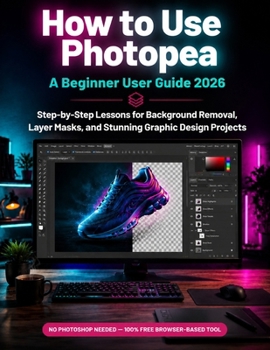
How to Use Photopea: A Beginner User Guide 2026: Step-by-Step Lessons for Background Removal, Layer Masks, and Stunning Graphic Design Projects
No Customer Reviews

What If You Could Design Like A Pro YES for Free?
If you've ever hesitated to start a graphic design project because Photoshop felt too expensive, too complicated, or simply out of reach, you're not alone. Millions of beginners, freelancers, small business owners, and content creators want professional-quality photo editing skills without the hefty subscription price tag.
Enter Photopea: the free, browser-based design tool that does almost everything Photoshop can do.
How to Use Photopea: A Beginner User Guide 2026 is your complete, step-by-step roadmap to mastering this powerful (and completely free) photo editing and graphic design software no downloads, no installations, and no prior experience required. INSIDE THIS BEGINNER-FRIENDLY GUIDE, YOU'LL LEARN HOW TO: Navigate the Photopea interface with confidence, even if you've never used a design tool beforeMaster background removal techniques for clean, professional product photos and portraitsUnderstand and apply layer masks to create seamless, non-destructive editsUse selection tools, blending modes, and filters like a seasoned graphic designerDesign eye-catching graphics for social media, marketing materials, and personal projectsWork with text, shapes, and effects to build polished, print-ready designsSave time and money by replacing expensive software subscriptions with a 100% free alternativeWHO THIS BOOK IS FOR:
This guide is written specifically for beginners including small business owners, students, bloggers, YouTubers, Etsy sellers, freelancers, and anyone curious about photo editing or graphic design who doesn't know where to start. No design background? No problem. Every lesson is broken down into clear, actionable steps with practical examples you can follow along with in real time. The transformation you'll experience:
By the end of this book, you won't just know Photopea you'll be able to confidently remove backgrounds, retouch photos, create layered compositions, and produce scroll-stopping graphics for your brand, business, or personal projects. What once felt overwhelming will become second nature, and you'll have a lifelong skill that saves you hundreds of dollars a year in software costs.
Whether you want to elevate your social media content, launch an online store, build a portfolio, or simply explore your creative side, this guide gives you everything you need to get started today using a tool that's already free and available in your browser. SCROLL UP AND CLICK "BUY NOW" TO START YOUR JOURNEY FROM BEGINNER TO CONFIDENT GRAPHIC DESIGNER WITH PHOTOPEA IN 2026.
If you've ever hesitated to start a graphic design project because Photoshop felt too expensive, too complicated, or simply out of reach, you're not alone. Millions of beginners, freelancers, small business owners, and content creators want professional-quality photo editing skills without the hefty subscription price tag.
Enter Photopea: the free, browser-based design tool that does almost everything Photoshop can do.
How to Use Photopea: A Beginner User Guide 2026 is your complete, step-by-step roadmap to mastering this powerful (and completely free) photo editing and graphic design software no downloads, no installations, and no prior experience required. INSIDE THIS BEGINNER-FRIENDLY GUIDE, YOU'LL LEARN HOW TO: Navigate the Photopea interface with confidence, even if you've never used a design tool beforeMaster background removal techniques for clean, professional product photos and portraitsUnderstand and apply layer masks to create seamless, non-destructive editsUse selection tools, blending modes, and filters like a seasoned graphic designerDesign eye-catching graphics for social media, marketing materials, and personal projectsWork with text, shapes, and effects to build polished, print-ready designsSave time and money by replacing expensive software subscriptions with a 100% free alternativeWHO THIS BOOK IS FOR:
This guide is written specifically for beginners including small business owners, students, bloggers, YouTubers, Etsy sellers, freelancers, and anyone curious about photo editing or graphic design who doesn't know where to start. No design background? No problem. Every lesson is broken down into clear, actionable steps with practical examples you can follow along with in real time. The transformation you'll experience:
By the end of this book, you won't just know Photopea you'll be able to confidently remove backgrounds, retouch photos, create layered compositions, and produce scroll-stopping graphics for your brand, business, or personal projects. What once felt overwhelming will become second nature, and you'll have a lifelong skill that saves you hundreds of dollars a year in software costs.
Whether you want to elevate your social media content, launch an online store, build a portfolio, or simply explore your creative side, this guide gives you everything you need to get started today using a tool that's already free and available in your browser. SCROLL UP AND CLICK "BUY NOW" TO START YOUR JOURNEY FROM BEGINNER TO CONFIDENT GRAPHIC DESIGNER WITH PHOTOPEA IN 2026.
Format:Paperback
Language:English
ISBN:B0HBMWS5GJ
ISBN13:9798189098857
Release Date:July 2026
Publisher:Independently Published
Length:218 Pages
Weight:1.14 lbs.
Dimensions:0.5" x 8.5" x 11.0"
Customer Reviews
0 rating
Copyright © 2026 Thriftbooks.com
Terms of Use | Privacy Policy | Do Not Sell/Share My Personal Information | Cookie Policy | Cookie Preferences | Accessibility Statement
ThriftBooks ® and the ThriftBooks ® logo are registered trademarks of Thrift Books Global, LLC
ThriftBooks ® and the ThriftBooks ® logo are registered trademarks of Thrift Books Global, LLC
