


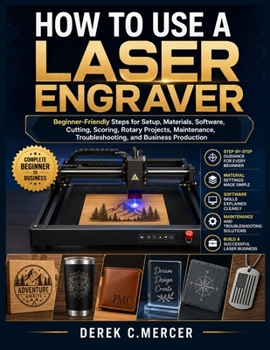
How to Use a Laser Engraver: Beginner-Friendly Steps for Setup, Materials, Software, Cutting, Scoring, Rotary Projects, Maintenance, Troubleshooting,

Are you struggling to understand laser software, material settings, focusing, power, speed, and project alignment?
Do you want to create cleaner engravings, sharper details, accurate cuts, and professional-looking products without wasting materials?
Are you searching for one practical guide that explains laser engraving in clear, beginner-friendly steps?
How to Use a Laser Engraver by Derek C. Mercer is a complete hands-on guide for beginners, hobbyists, woodworkers, sign makers, crafters, teachers, makers, and small-business owners who want to operate a laser machine with greater confidence and control.
This book takes you from the first machine setup to advanced production techniques using clear explanations, practical workflows, and step-by-step instruction. You will learn how diode, CO₂, and fiber systems work, how to select compatible materials, how to prepare artwork, and how to avoid costly beginner mistakes.
Inside this book, you will learn how to:
Choose the right machine for wood, acrylic, leather, glass, slate, and coated metalAssemble, connect, focus, and configure your equipment correctlyInstall and use compatible design and control softwareImport SVG, DXF, PNG, JPG, PDF, and AI filesCreate text, shapes, raster images, vector paths, and multi-layer projectsControl power, speed, passes, resolution, line interval, and scan directionBuild and read material test gridsAlign designs using framing, cameras, templates, and positioning jigsComplete engraving, scoring, cutting, and rotary projectsPrepare photographs using contrast, brightness, sharpness, dithering, and grayscaleMaintain lenses, rails, belts, workbeds, airflow, exhaust, and cooling systemsDiagnose poor engraving, incomplete cuts, connection faults, and movement errorsPlan, price, organize, and produce custom products efficientlyBonus Highlights
Beginner-friendly operating checklistsMaterial safety guidanceFile-organization methodsBatch-production strategiesCustomer proof and approval workflowsCosting and pricing guidanceQuality-control proceduresMaintenance and troubleshooting routinesEach chapter is structured to help you understand not only which controls to use, but why each step affects quality, safety, accuracy, and repeatability.
Stop relying on scattered settings and confusing instructions. Build a reliable workflow from design preparation to finished production.
Get your copy today and start creating cleaner, safer, and more consistent laser projects.
Customer Reviews
ThriftBooks ® and the ThriftBooks ® logo are registered trademarks of Thrift Books Global, LLC
