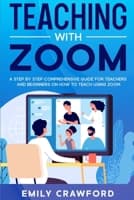
If you want to learn how to use Google Classroom and the most power Google Apps, like Google Drive, Google Docs, Google Sheet, Google Slides and Google Calendar, then keep reading
Nowadays, we are constantly working online, and most of the old office tools have become obsolete, in favor of online tools. But using these tools in an effective way is not so easy. You have to deal with a lot of features, and most of them are hidden, or unreachable, or you simply don't know how to perform simple tasks that you have already done using desktop applications. As a teacher, I know that there are a lot of feature that are not easy to find nor to use. Google Classroom and Google Apps, specifically, are the most powerful online tools, and they come basically for free, but you need to know how to use them if you want to go fast and without wasting time learning trough experience. So, I've wrote this book to help you to know them deeply, even their hidden features.
In this book you will learn:
- All the features provided by Google Classroom and related tools, using simple step-by-step procedures and screenshots
- Why Google Classroom is the best way to Teach Outside of the School
- How to allow Teachers to Communicate with Students effectively
- How to make Assignments, Announcements, Gradings, and enable students to communicate with each other
- How to collect Work and Files, to have all students on the same page, using Google dedicated tools
- Why Google Classroom is so Crucial for Students Who Struggle
- Why going Paperless will help you as a Teacher
- Why Google Classroom is a Huge Time Saver
- How to improve Students Commitment using technology
- Best Practices, Tips & Tricks
- Discover all the Hidden and Secret Features
- How to have an Anxiety-Free Classroom and enhance the environment
- How Google Classroom Will Boost Your Teaching
- What are the most powerful Google Apps, and how to use them
- Discover the hidden benefits of using Google Apps
- How to improve productivity with Google Apps
- How to store, synchronize and share files and folders using Google Drive
- Discover the hidden features of Google Drive and leverage the power of the Cloud Storage
- How to write, edit, format, and share Text Docucuments with Google Docs
- Why Google Docs is better than MS Word
- Discover the best way to collaborate on files
- Create powerful Spreadsheets with Google Sheet
- How to Share, Protect, and Move Your Sheets Data
- How to Format your Data and Add Formulas
- How to use Google Sheet offline
- Creating, Sharing and Collaboration on Presentations with Google Slides
- How to work on a PowerPoint presentation using Google Slides
- How to make Templates on Google Slides
- How to create and manage your schedule, events and reminders with Google Calendar
- How to use Google Forms
- How to use Google Photos
- How to manage your list and notes with Google Keep
- Discover the secret benefits of using Gmail
... and so much more
Even if you think that most of these pieces of information can be found on the Internet, you'll find that it is totally untrue because this book is the result of a profound work of research and practive, and can save a lot of time of googling.
If you want to know more, scroll to the top and click the buy now button