


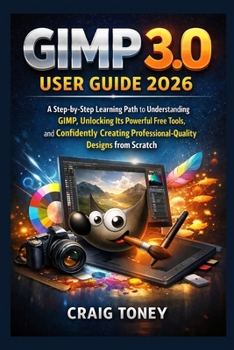
GIMP 3.0 User Guide 2026: A Step-by-Step Learning Path to Understanding GIMP, Unlocking Its Powerful Free Tools, and Confidently Creating Professional

I'll never forget the frustration of opening my laptop to finish a passion project, only to find my "Professional Suite" had locked my files behind a paywall. Again. It felt like I was renting my own imagination. I had the ideas, I had the talent, but I didn't own the tools.
That was the day I decided to master GIMP.
I'll be honest: back then, it felt like learning a second language without a dictionary. I stumbled, I clicked the wrong buttons, and I almost gave up. But then GIMP 3.0 arrived-a total metamorphosis of the software. It was faster, sleeker, and more powerful than anything I'd seen in the open-source world. I realized that the only thing standing between me and professional-grade art was a roadmap.
I wrote GIMP 3.0 User Guide 2026 to be that roadmap for you. I've translated the "tech-speak" into plain English so you can skip the frustration and go straight to the fun part: creating.
What's Inside Your Creative Toolkit?
This guide is designed to take you from "How do I open a file?" to "Look at this masterpiece I made." Here is a tiny fraction of what you'll master:
The "Undo-Everything" Secret: Learn the new Non-Destructive FX system that lets you change your mind days later without starting over.
The Magic Wand of 2026: Master the Paint Select Tool to cut out complex subjects (yes, even hair ) in seconds.
Cinema-Quality Color: Use professional Curves and Histograms to turn "meh" snapshots into "wow" photographs.
Logo Logic: Harness B zier Curves to design icons and text that stay razor-sharp on any screen size.
Work at Warp Speed: Use the Unified Transform Tool to scale, rotate, and flip your art in one single, fluid motion.
"But isn't GIMP just for tech geniuses?"
I hear you. You've heard that GIMP is "clunky" or "too hard for beginners." That GIMP is dead. The 2026 version of GIMP is a different beast entirely. It's been rebuilt for people who want to spend their time designing, not troubleshooting. If you can use a mouse and a keyboard, you can use this book. I've stripped away the fluff and focused on human-centered design. I don't just tell you which button to click; I tell you why it matters for your art.
Stop being a "subscriber" and start being an owner. Whether you want to fix your family photos, design a brand for your business, or create digital paintings from scratch, GIMP 3.0 is the most powerful free tool on the planet.
Don't just install the future-command it.
Get Your Copy of the GIMP 3.0 User Guide 2026 Today and Start Creating Without Limits
Customer Reviews
ThriftBooks ® and the ThriftBooks ® logo are registered trademarks of Thrift Books Global, LLC
