


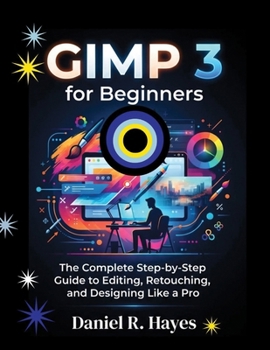
GIMP 3 for Beginners: The Complete Step-by-Step Guide to Editing, Retouching, and Designing Like a Pro

GIMP 3 is the powerful, completely free image editor that finally rivals Photoshop - and this guide shows you exactly how to use it, step by step, with zero prior experience required. Whether you're a small business owner editing product photos, a content creator prepping images for social media, a student on a budget, or simply someone who wants full control over their pictures without the subscription trap, this book walks you through GIMP 3's redesigned interface, new non-destructive editing tools, layers, selections, retouching, color correction, and export workflows - in plain English, with real examples.
Inside, you'll learn how to:
Navigate GIMP 3's new GTK3 interface, HiDPI support, and customizable themes
Use layers, masks, and selections like a professional editor
Retouch portraits, remove backgrounds, and fix common photo flaws
Apply non-destructive filters and effects you can tweak anytime
Work with text, color correction, and RGB color spaces
Automate repetitive tasks with Script-Fu and plug-ins
Export and optimize images for web, print, and social media
No design degree. No monthly fees. No confusion. Just a clear, practical roadmap to becoming confident and capable in GIMP 3 - starting today.
Customer Reviews
ThriftBooks ® and the ThriftBooks ® logo are registered trademarks of Thrift Books Global, LLC
