


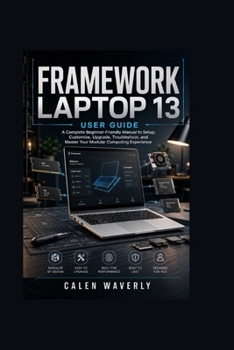
Framework Laptop 13 User Guide: A Complete Beginner-Friendly Manual to Setup, Customize, Upgrade, Troubleshoot, and Master Your Modular Computing Expe
No Customer Reviews

Framework Laptop 13 User Guide: Master Your Modular Computing Experience with Setup, Customization, Upgrades, Maintenance, and TroubleshootingUnlock the full potential of your Framework Laptop 13 with this practical and easy-to-follow user guide designed for beginners, professionals, students, creators, and technology enthusiasts who want to get more from their modular computer.
The Framework Laptop 13 is built differently from traditional devices. Its repairable design, upgrade-friendly components, and customizable features give users more control over their computing experience. However, taking advantage of this flexibility requires the right knowledge. This guide provides clear explanations and practical instructions to help you confidently set up, personalize, maintain, and optimize your device.
Whether you are opening your Framework Laptop 13 for the first time, upgrading internal components, exploring operating system options, improving performance, or troubleshooting common issues, this book gives you the essential information needed to make smarter decisions and enjoy a smoother experience.
Inside this guide, you will discover how to understand the modular design, configure your system, manage hardware upgrades, improve battery efficiency, protect your data, and maintain your device for long-term reliability. Every section is written in a straightforward style, making complex technology easier to understand without unnecessary technical confusion.
Inside This Book, You Will Learn How To:
1. Set Up Your Framework Laptop 13 with Confidence
Follow clear instructions for unboxing, initial configuration, operating system setup, and essential settings to create a strong foundation from day one.
2. Understand the Modular Design and Hardware Components
Explore the purpose of the mainboard, processor options, memory, storage, display, keyboard, Expansion Cards, and other important components.
3. Customize Your Device to Match Your Needs
Learn how to personalize your setup, choose the right Expansion Cards, and create a workflow designed around your daily activities.
4. Upgrade RAM, Storage, and Replaceable Components
Discover how to improve performance and extend the useful life of your device through smart hardware upgrades and component replacements.
5. Optimize Performance and Battery Life
Learn practical techniques for managing power settings, improving system responsiveness, and achieving a better balance between speed and efficiency.
6. Maintain, Repair, and Protect Your Device
Understand proper cleaning methods, hardware care, component handling, and repair-friendly practices that help preserve your investment.
7. Troubleshoot Common Software and Hardware Problems
Identify and resolve startup issues, driver conflicts, connectivity problems, performance concerns, and update-related challenges.
8. Explore Advanced Features and Long-Term Ownership Strategies
Discover security practices, developer tools, customization options, future upgrade possibilities, and ways to maximize the value of your Framework Laptop 13.
Whether you are a new owner looking for guidance, an experienced user seeking advanced knowledge, or someone interested in getting the most value from a repairable computer, this guide is designed to be your reliable companion.
Take control of your technology, understand your device better, and unlock the possibilities of modular computing. Get your copy of the Framework Laptop 13 User Guide today and start building a smarter, more personalized computing experience.
The Framework Laptop 13 is built differently from traditional devices. Its repairable design, upgrade-friendly components, and customizable features give users more control over their computing experience. However, taking advantage of this flexibility requires the right knowledge. This guide provides clear explanations and practical instructions to help you confidently set up, personalize, maintain, and optimize your device.
Whether you are opening your Framework Laptop 13 for the first time, upgrading internal components, exploring operating system options, improving performance, or troubleshooting common issues, this book gives you the essential information needed to make smarter decisions and enjoy a smoother experience.
Inside this guide, you will discover how to understand the modular design, configure your system, manage hardware upgrades, improve battery efficiency, protect your data, and maintain your device for long-term reliability. Every section is written in a straightforward style, making complex technology easier to understand without unnecessary technical confusion.
Inside This Book, You Will Learn How To:
1. Set Up Your Framework Laptop 13 with Confidence
Follow clear instructions for unboxing, initial configuration, operating system setup, and essential settings to create a strong foundation from day one.
2. Understand the Modular Design and Hardware Components
Explore the purpose of the mainboard, processor options, memory, storage, display, keyboard, Expansion Cards, and other important components.
3. Customize Your Device to Match Your Needs
Learn how to personalize your setup, choose the right Expansion Cards, and create a workflow designed around your daily activities.
4. Upgrade RAM, Storage, and Replaceable Components
Discover how to improve performance and extend the useful life of your device through smart hardware upgrades and component replacements.
5. Optimize Performance and Battery Life
Learn practical techniques for managing power settings, improving system responsiveness, and achieving a better balance between speed and efficiency.
6. Maintain, Repair, and Protect Your Device
Understand proper cleaning methods, hardware care, component handling, and repair-friendly practices that help preserve your investment.
7. Troubleshoot Common Software and Hardware Problems
Identify and resolve startup issues, driver conflicts, connectivity problems, performance concerns, and update-related challenges.
8. Explore Advanced Features and Long-Term Ownership Strategies
Discover security practices, developer tools, customization options, future upgrade possibilities, and ways to maximize the value of your Framework Laptop 13.
Whether you are a new owner looking for guidance, an experienced user seeking advanced knowledge, or someone interested in getting the most value from a repairable computer, this guide is designed to be your reliable companion.
Take control of your technology, understand your device better, and unlock the possibilities of modular computing. Get your copy of the Framework Laptop 13 User Guide today and start building a smarter, more personalized computing experience.
Format:Paperback
Language:English
ISBN:B0HBTF3K8J
ISBN13:9798189471889
Release Date:July 2026
Publisher:Independently Published
Length:92 Pages
Weight:0.30 lbs.
Dimensions:0.2" x 6.0" x 9.0"
Customer Reviews
0 rating
Copyright © 2026 Thriftbooks.com
Terms of Use | Privacy Policy | Do Not Sell/Share My Personal Information | Cookie Policy | Cookie Preferences | Accessibility Statement
ThriftBooks ® and the ThriftBooks ® logo are registered trademarks of Thrift Books Global, LLC
ThriftBooks ® and the ThriftBooks ® logo are registered trademarks of Thrift Books Global, LLC
