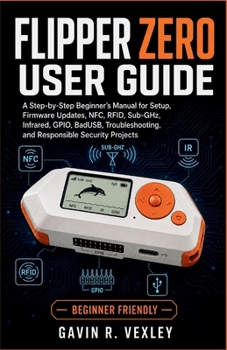
Flipper Zero User Guide: A Step-by-Step Beginner's Manual for Setup, Firmware Updates, NFC, RFID, Sub-GHz, Infrared, GPIO, BadUSB, Troubleshooting, an

Your Flipper Zero can do far more than you might expect, but learning how to use it properly can feel confusing at first.
The Flipper Zero User Guide gives beginners clear, practical instructions for setting up, exploring, and maintaining their device with confidence. You do not need previous experience with electronics, cybersecurity, programming, or wireless technology. Each concept is explained in simple language, with step-by-step guidance that helps you understand what the device is doing and why.
Inside this guide, you will learn how to:
Set up your Flipper Zero and prepare a compatible microSD card
Navigate the controls, menus, settings, and Dolphin progress system
Connect your device to qFlipper and the official mobile application
Update, repair, and recover official firmware safely
Manage files, applications, synchronization, and backups
Understand wireless signals, frequencies, protocols, and compatibility
Explore NFC, 125 kHz RFID, iButton, infrared, and Sub-GHz features
Capture, save, organize, emulate, and test supported signals responsibly
Create safe BadUSB scripts for your own computers and test systems
Build beginner GPIO projects using LEDs, buttons, sensors, and compatible modules
Troubleshoot charging, battery, Bluetooth, firmware, and microSD card problems
Protect your device and keep it working reliably over time
This book also explains the limitations of Flipper Zero, including unsupported cards, rolling codes, encrypted credentials, regional frequency restrictions, and incompatible protocols. Instead of promising unrealistic results, it helps you recognize what the device can do, what it cannot do, and how to respond when a test does not work.
Safety and responsible use are included throughout the guide. You will learn how to experiment only with devices, signals, credentials, and systems that you own or have permission to test.
Whether you have just unboxed your Flipper Zero or want a dependable reference for future projects, this guide will help you build practical skills, avoid common mistakes, solve problems, and explore everyday technology responsibly.
Start using your Flipper Zero with greater confidence and turn every experiment into a valuable learning experience.
Customer Reviews
ThriftBooks ® and the ThriftBooks ® logo are registered trademarks of Thrift Books Global, LLC