


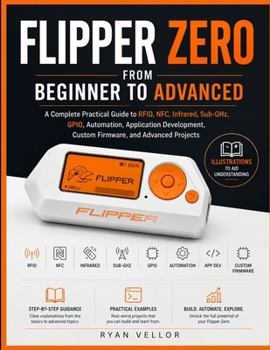
Flipper Zero from Beginner to Advanced: A Complete Practical Guide to RFID, NFC, Infrared, Sub-GHz, GPIO, Automation, Application Development, Custom

GO BEYOND BASIC FLIPPER ZERO TUTORIALS AND LEARN HOW TO USE THE DEVICE WITH CONFIDENCE, ACCURACY, AND TECHNICAL UNDERSTANDING.
Flipper Zero from Beginner to Advanced is a complete hands-on guide for readers who want more than a quick introduction. It explains not only which buttons to press, but also how each technology works, what the results mean, how to verify them, and how to solve problems when a test does not behave as expected.
Beginning with device setup, firmware updates, microSD management, navigation, and file organization, the book builds a strong foundation before progressing into RFID, NFC, infrared, Sub-GHz communication, iButton keys, USB and Bluetooth automation, GPIO electronics, hardware communication protocols, application development, and custom firmware.
Clear explanations are supported by carefully planned technical illustrations that show device positioning, signal testing arrangements, GPIO wiring, communication interfaces, hardware connections, and controlled laboratory setups. These visuals make difficult concepts easier to understand and help readers reproduce each procedure correctly.
Inside, you will learn how to:
Configure Flipper Zero and maintain reliable firmware and storage
Read, save, organize, emulate, and test supported RFID and NFC media
Capture and reproduce infrared commands from authorized devices
Receive, analyze, and catalogue Sub-GHz signals safely
Work with iButton keys and compatible electronic-key readers
Create USB and Bluetooth automations using practical DuckyScript examples
Connect LEDs, buttons, buzzers, sensors, and modules through GPIO
Communicate with hardware through UART, SPI, I C, and 1-Wire
Use the command-line interface for diagnostics, files, logs, and hardware testing
Build native Flipper Zero applications using C, uFBT, and the official SDK
Create menus, views, event handling, persistent storage, and sensor integrations
Obtain, modify, compile, install, and recover custom firmware
Build organized multi-technology testing kits and advanced technical projects
Diagnose firmware, storage, wireless, Bluetooth, GPIO, and communication failures
Back up important files, preserve evidence, and recover an unresponsive device
Unlike shallow guides that present isolated menu actions, this book connects each feature to the principles behind it. You will understand why RFID differs from NFC, why UART settings must match, why I C requires pull-up resistors, why GPIO voltage limits matter, how FAP applications interact with firmware APIs, and how firmware resources, applications, and hardware layers fit together.
Every major procedure includes practical preparation, expected results, verification steps, common mistakes, and troubleshooting guidance. Code and command examples identify the language being used, where the instructions should run, and what should happen after execution.
The book also places strong emphasis on responsible use. All exercises are designed for personally owned devices, controlled laboratory hardware, decommissioned equipment, or systems covered by proper authorization. Guidance on evidence handling, assessment planning, backup procedures, and clear technical reporting makes the book suitable not only for enthusiasts but also for technicians, developers, electronics learners, and security professionals.
Whether you have just unboxed your Flipper Zero or are ready to create applications, connect external hardware, compile firmware, and build advanced testing tools, this guide provides the depth and practical structure needed to progress confidently.
Customer Reviews
ThriftBooks ® and the ThriftBooks ® logo are registered trademarks of Thrift Books Global, LLC
