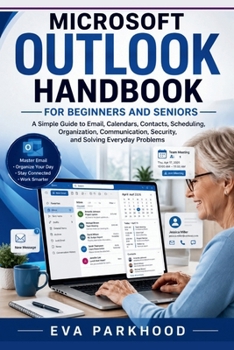
Essential Microsoft Outlook Handbook for Beginners and Seniors: A Simple Guide to Email, Calendars, Contacts, Scheduling, Organization, Communication,

Learn to use Microsoft Outlook with greater confidence-even if email and digital organization feel overwhelming.
The Essential Microsoft Outlook Handbook for Beginners and Seniors is a practical, easy-to-follow guide designed to help you manage email, organize your schedule, communicate with others, and solve common Outlook problems without getting buried in complicated technical language.
Whether you're completely new to Outlook, returning to it after years away, or simply want a clearer way to manage your digital communication, this handbook focuses on the everyday skills that matter most.
Inside, you'll learn how to:
Get started and understand the Outlook workspaceCreate, send, receive, read, and manage emailWrite clearer messages and use attachments safelyOrganize messages with folders, categories, flags, search, and rulesCreate appointments, events, and recurring schedulesManage contacts and important contact informationSet useful reminders and avoid scheduling conflictsShare calendars and coordinate with other peopleCreate, manage, update, and cancel meetingsWork with teams, families, clients, and other groupsAdjust preferences, notifications, and account settingsUnderstand privacy and security featuresProtect your account and recognize suspicious messagesUse accessibility and helpful productivity featuresTroubleshoot common problems with email, calendars, contacts, notifications, attachments, and synchronizationDevelop simple habits for keeping your Outlook organizedWritten in clear, straightforward language, this handbook is designed for beginners, seniors, and anyone who wants a less intimidating way to learn Outlook.
You don't need to be a technology expert. Start with the basics, practice one feature at a time, and build the confidence to use Outlook for everyday communication and organization.
Learn the essentials. Organize your communication. Manage your schedule. Solve everyday Outlook problems with confidence.
Customer Reviews
ThriftBooks ® and the ThriftBooks ® logo are registered trademarks of Thrift Books Global, LLC