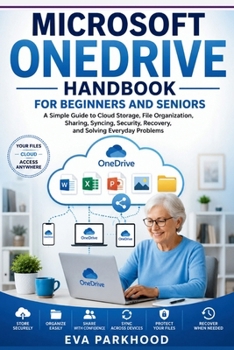
Essential Microsoft OneDrive Handbook for Beginners and Seniors: A Simple Guide to Cloud Storage, File Backup, Synchronization, Sharing, Organization,

Store, organize, share, and manage your files with greater confidence-even if cloud storage feels confusing.
The Essential Microsoft OneDrive Handbook for Beginners and Seniors is a practical, easy-to-follow guide designed to help you understand OneDrive without complicated technical language.
Whether you're completely new to cloud storage, moving files between devices, or simply trying to get better organized, this handbook focuses on the everyday tasks that matter most.
Inside, you'll learn how to:
Get started with OneDrive and understand its workspaceCreate an account and manage your OneDrive filesUpload, save, open, rename, move, and organize filesCreate folders and build a simple file-management systemSynchronize files across supported devicesUnderstand online and offline file accessManage OneDrive and device storageShare files and folders with other peopleUnderstand sharing links and permissionsCollaborate on supported Microsoft filesReview and manage access to shared filesUse version history and available recovery featuresRecover deleted files when recovery is availableManage preferences, notifications, privacy, and securityProtect your Microsoft account and stored informationTroubleshoot common OneDrive problemsDevelop simple habits for keeping your files organized and accessibleWritten in clear, straightforward language, this handbook is designed for beginners, seniors, and anyone who wants a simpler way to learn Microsoft OneDrive.
You don't need to be a technology expert. Start with the basics, practice one feature at a time, and build the confidence to store and manage your digital files effectively.
Learn the essentials. Organize your files. Share with confidence. Keep your important information easier to access and manage.
Customer Reviews
ThriftBooks ® and the ThriftBooks ® logo are registered trademarks of Thrift Books Global, LLC