


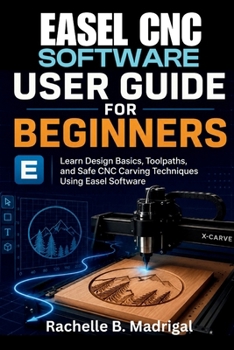
Easel CNC Software User Guide for Beginners: Learn Design Basics, Toolpaths, and Safe CNC Carving Techniques Using Easel Software

Are you curious about CNC carving but unsure where to begin? Do terms like toolpaths, carving depth, and machine setup feel confusing? This beginner-friendly user guide is designed to help you learn Easel CNC Software step by step in simple, plain English.
Inside this practical guide, you will discover how to confidently design projects, understand the Easel interface, create toolpaths, and safely operate beginner CNC carving projects using the Inventables X-Carve. Whether you are a hobbyist, maker, DIY enthusiast, or complete beginner, this book breaks complex ideas into easy lessons that are simple to follow.
You will learn how to:
Set up Easel CNC Software correctly
Understand the workspace and design tools
Create beginner-friendly carving projects
Generate clean and accurate toolpaths
Avoid common CNC mistakes
Improve carving precision and confidence
Practice with real project ideas
This user guide focuses on hands-on learning, clear explanations, and practical techniques that help beginners build real CNC skills without feeling overwhelmed.
This book is an independent educational user guide created to help beginners learn and understand Easel CNC Software and CNC carving workflows. It is not affiliated with, endorsed by, or sponsored by Inventables or any related company. All trademarks belong to their respective owners.If you are ready to turn your creative ideas into real carved projects, this book will help you take your first steps with confidence.
Customer Reviews
ThriftBooks ® and the ThriftBooks ® logo are registered trademarks of Thrift Books Global, LLC
