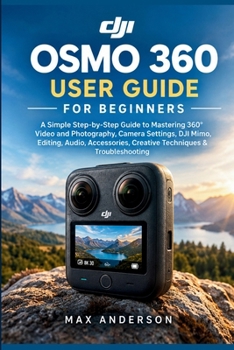
DJI Osmo 360 User Guide for Beginners: A Simple Step-by-Step Guide to Mastering 360° Video and Photography, Camera Settings, DJI Mimo, Editing, Audio,
No Customer Reviews

Unlock the full creative potential of your DJI Osmo 360-even if you've never used a 360 camera before. Just bought an Osmo 360 and wondering where to start? You're not alone. A 360 camera can open up an entirely new world of photography and video, but understanding camera modes, resolution, frame rates, stabilization, audio, editing, reframing, accessories, and file management can quickly become overwhelming. This User Guide for Beginners was created to make that learning curve simple. Written in clear, practical language, this step-by-step guide takes you from your first camera setup to confidently capturing, editing, and sharing immersive 360 content. Inside this guide, you'll discover how to:
Set up your Osmo 360 and prepare it for your first shoot
Understand the camera's controls, menus, modes, and essential settings
Record high-quality 360 video and capture stunning 360 photographs
Choose the right resolution and frame rate for different situations
Understand Single-Lens Mode and when to use it
Get smoother footage with stabilization techniques
Make better use of the Invisible Selfie Stick effect
Use gesture and voice-control features effectively
Explore intelligent tracking and GyroFrame workflows
Improve your audio and work with compatible DJI wireless microphones
Connect and use DJI Mimo for editing and content creation
Understand desktop workflows and DJI Studio
Prepare Osmo 360 footage for professional editing workflows
Control exposure and make better decisions about camera settings
Get better results when shooting in low light and at night
Choose useful accessories without unnecessarily complicating your setup
Mount your camera more safely for travel, action, and everyday shooting
Capture better footage for travel, vlogging, sports, family events, and business
Organize your footage and create an efficient editing workflow
Turn 360 footage into engaging social-media content
Avoid common beginner mistakes and troubleshoot frequent problems
Recognize and reduce stitching issues
Build customized settings for different shooting situations
More than a camera manual This book isn't designed to overwhelm you with technical jargon. Instead, it focuses on what you need to know, why it matters, and when to use it. You'll learn not only what the different settings do, but also how to make practical decisions when you're standing behind the camera. Whether you're recording a family trip, creating YouTube videos, documenting an adventure, capturing sports, or experimenting with immersive photography, you'll have a clear workflow to follow. Plus, you'll get practical bonuses The guide includes useful reference material you can return to whenever you need a quick answer: Osmo 360 Quick-Start Checklist
Settings Cheat Sheet
25 Creative 360 Shot Ideas
50 Beginner Mistakes to Avoid
Troubleshooting Quick Reference
Recommended Beginner Workflow
30-Day Osmo 360 Practice Challenge By the end of the book, you won't simply know where the buttons are. You'll have a practical understanding of how to approach shooting, reviewing, editing, organizing, and sharing 360 content with confidence. Whether you're completely new to 360 cameras or you're coming from a traditional action camera and want to understand what makes 360 photography different, this guide gives you a straightforward path forward. Stop guessing at your settings. Start creating. Your Osmo 360 adventure starts here.
Set up your Osmo 360 and prepare it for your first shoot
Understand the camera's controls, menus, modes, and essential settings
Record high-quality 360 video and capture stunning 360 photographs
Choose the right resolution and frame rate for different situations
Understand Single-Lens Mode and when to use it
Get smoother footage with stabilization techniques
Make better use of the Invisible Selfie Stick effect
Use gesture and voice-control features effectively
Explore intelligent tracking and GyroFrame workflows
Improve your audio and work with compatible DJI wireless microphones
Connect and use DJI Mimo for editing and content creation
Understand desktop workflows and DJI Studio
Prepare Osmo 360 footage for professional editing workflows
Control exposure and make better decisions about camera settings
Get better results when shooting in low light and at night
Choose useful accessories without unnecessarily complicating your setup
Mount your camera more safely for travel, action, and everyday shooting
Capture better footage for travel, vlogging, sports, family events, and business
Organize your footage and create an efficient editing workflow
Turn 360 footage into engaging social-media content
Avoid common beginner mistakes and troubleshoot frequent problems
Recognize and reduce stitching issues
Build customized settings for different shooting situations
More than a camera manual This book isn't designed to overwhelm you with technical jargon. Instead, it focuses on what you need to know, why it matters, and when to use it. You'll learn not only what the different settings do, but also how to make practical decisions when you're standing behind the camera. Whether you're recording a family trip, creating YouTube videos, documenting an adventure, capturing sports, or experimenting with immersive photography, you'll have a clear workflow to follow. Plus, you'll get practical bonuses The guide includes useful reference material you can return to whenever you need a quick answer: Osmo 360 Quick-Start Checklist
Settings Cheat Sheet
25 Creative 360 Shot Ideas
50 Beginner Mistakes to Avoid
Troubleshooting Quick Reference
Recommended Beginner Workflow
30-Day Osmo 360 Practice Challenge By the end of the book, you won't simply know where the buttons are. You'll have a practical understanding of how to approach shooting, reviewing, editing, organizing, and sharing 360 content with confidence. Whether you're completely new to 360 cameras or you're coming from a traditional action camera and want to understand what makes 360 photography different, this guide gives you a straightforward path forward. Stop guessing at your settings. Start creating. Your Osmo 360 adventure starts here.
Format:Paperback
Language:English
ISBN:B0HKLN6CC3
ISBN13:9798176232776
Release Date:September 2026
Publisher:Independently Published
Length:196 Pages
Weight:0.54 lbs.
Dimensions:0.5" x 6.0" x 9.0"
Customer Reviews
0 rating
Copyright © 2026 Thriftbooks.com
Terms of Use | Privacy Policy | Do Not Sell/Share My Personal Information | Cookie Notice | Cookie Preferences | Accessibility Statement
ThriftBooks ® and the ThriftBooks ® logo are registered trademarks of Thrift Books Global, LLC
ThriftBooks ® and the ThriftBooks ® logo are registered trademarks of Thrift Books Global, LLC