


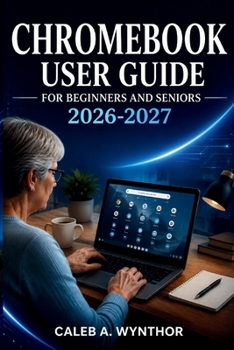
Chromebook User Guide for Beginners and Seniors 2026-2027: A Practical Manual for Setup, ChromeOS Navigation, Digital Communication, Personal Organiza
No Customer Reviews

Learning a new computer can feel confusing when every setting, button, and message seems unfamiliar. The right guidance can turn uncertainty into confidence and help you enjoy technology instead of feeling frustrated by it.
Chromebook User Guide For Beginners And Seniors 2026-2027 is a practical educational resource designed to help you understand your device, become familiar with ChromeOS, and perform everyday digital tasks with greater comfort and confidence. Whether you are setting up a new device, supporting a family member, returning to technology after a long break, or simply looking for a clear reference guide, this book provides easy-to-follow explanations without complicated technical language. Inside this guide, you will discover how to: - Set up your device and understand the important parts and features
- Navigate ChromeOS, manage windows, use the keyboard, and work with the touchpad
- Connect to the internet and solve common connection problems
- Create and manage your Google Account with safer security practices
- Browse online more confidently and recognize common digital risks
- Use Gmail, Google Calendar, and Google Workspace for communication and productivity
- Save, organize, and manage important files, photos, videos, and documents
- Adjust display settings and accessibility features for a more comfortable experience
- Communicate with family and friends through email, messages, and video calls
- Understand useful applications, browser extensions, updates, and troubleshooting methods This guide focuses on the everyday skills that make technology easier to understand and use. Instead of overwhelming you with unnecessary technical details, it explains practical actions you can apply immediately. You will learn how to organize your digital information, protect personal details, create documents, manage online services, and develop simple habits that make daily computer use smoother. Designed with clarity and simplicity in mind, this book is written for readers who want straightforward explanations, practical examples, and a reliable reference they can return to whenever they need help. Technology does not have to feel complicated. With patience, practice, and the right knowledge, you can become more comfortable navigating digital tools and using them for communication, organization, learning, and everyday activities. Start building your confidence today and take the next step toward a simpler, safer, and more enjoyable digital experience.
Chromebook User Guide For Beginners And Seniors 2026-2027 is a practical educational resource designed to help you understand your device, become familiar with ChromeOS, and perform everyday digital tasks with greater comfort and confidence. Whether you are setting up a new device, supporting a family member, returning to technology after a long break, or simply looking for a clear reference guide, this book provides easy-to-follow explanations without complicated technical language. Inside this guide, you will discover how to: - Set up your device and understand the important parts and features
- Navigate ChromeOS, manage windows, use the keyboard, and work with the touchpad
- Connect to the internet and solve common connection problems
- Create and manage your Google Account with safer security practices
- Browse online more confidently and recognize common digital risks
- Use Gmail, Google Calendar, and Google Workspace for communication and productivity
- Save, organize, and manage important files, photos, videos, and documents
- Adjust display settings and accessibility features for a more comfortable experience
- Communicate with family and friends through email, messages, and video calls
- Understand useful applications, browser extensions, updates, and troubleshooting methods This guide focuses on the everyday skills that make technology easier to understand and use. Instead of overwhelming you with unnecessary technical details, it explains practical actions you can apply immediately. You will learn how to organize your digital information, protect personal details, create documents, manage online services, and develop simple habits that make daily computer use smoother. Designed with clarity and simplicity in mind, this book is written for readers who want straightforward explanations, practical examples, and a reliable reference they can return to whenever they need help. Technology does not have to feel complicated. With patience, practice, and the right knowledge, you can become more comfortable navigating digital tools and using them for communication, organization, learning, and everyday activities. Start building your confidence today and take the next step toward a simpler, safer, and more enjoyable digital experience.
Format:Paperback
Language:English
ISBN:B0HCWM3F2P
ISBN13:9798190723922
Release Date:August 2026
Publisher:Independently Published
Length:146 Pages
Weight:0.45 lbs.
Dimensions:0.3" x 6.0" x 9.0"
Customer Reviews
0 rating
Copyright © 2026 Thriftbooks.com
Terms of Use | Privacy Policy | Do Not Sell/Share My Personal Information | Cookie Policy | Cookie Preferences | Accessibility Statement
ThriftBooks ® and the ThriftBooks ® logo are registered trademarks of Thrift Books Global, LLC
ThriftBooks ® and the ThriftBooks ® logo are registered trademarks of Thrift Books Global, LLC
