


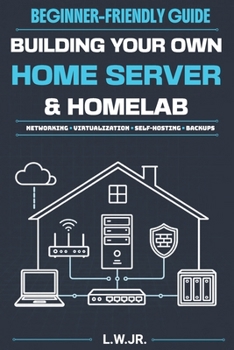
Building Your Own Home Server & Homelab: A Beginner-Friendly Guide to Networking, Virtualization and Self-Hosting

Many home server guides begin with expensive hardware, unexplained commands, or complex network diagrams. Building Your Own Home Server & Homelab begins with a simpler question: What do you actually want your server to do?
This beginner friendly guide helps you plan, build, secure, and maintain a useful system without wasting money on equipment or features you do not need. No previous Linux, networking, or system administration experience is required.
What you will learn: Choose a practical first project, realistic budget, and suitable locationReuse an old laptop or desktop, select a mini PC, or decide when dedicated hardware makes sensePlan hard drives, solid state drives, storage capacity, redundancy, and backupsUnderstand LANs, WANs, IP addresses, DHCP, DNS, routers, firewalls, and ports in plain EnglishCompare Ubuntu Server, Debian, Rocky Linux, TrueNAS, and ProxmoxUnderstand virtual machines, Docker containers, and when to use each approachEvaluate Plex and Jellyfin for personal movie, music, and video librariesInstall and understand pfSense, OPNsense, and OpenWrtProtect your system with updates, monitoring, logs, cooling, UPS power, and safer remote accessBuild a working local file server with Ubuntu Server and Samba, connect household computers, and test a backup restoreWhy this guide works for beginners: Starts with your goals instead of pushing expensive equipmentExplains why each decision matters before showing what to doUses local and security focused defaults before introducing outside accessShows the tradeoffs between hardware, operating systems, storage choices, and software toolsHelps you build one useful system before expanding into a larger homelabThis book is written for first time builders, budget conscious technology enthusiasts, students, career changers, media collectors, and anyone who wants greater control over personal files and services.
Start small, build something useful, and create a home server you understand well enough to maintain, protect, and expand.
Customer Reviews
ThriftBooks ® and the ThriftBooks ® logo are registered trademarks of Thrift Books Global, LLC
