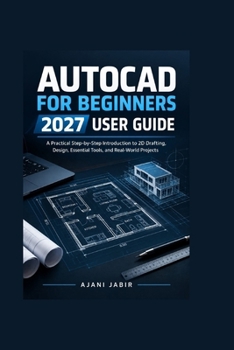
AutoCAD for Beginners 2027 User Guide: A Practical Step-by-Step Introduction to 2D Drafting, Design, Essential Tools, and Real-World Projects
No Customer Reviews

A Practical Step-by-Step Introduction to 2D Drafting, Design, Essential Tools, and Real-World ProjectsReady to stop feeling overwhelmed by AutoCAD and start creating accurate drawings with confidence?
AUTOCAD FOR BEGINNERS 2027 USER GUIDE is designed for newcomers who want a practical, straightforward way to learn the fundamentals of AutoCAD 2027 without getting buried in complicated technical language. Whether you're completely new to computer-aided drafting or looking for a structured way to strengthen your basic skills, this book gives you a clear path from your first drawing to complete practical projects.
Instead of simply listing commands, this book focuses on how and when to use the tools. You'll learn how to build accurate 2D geometry, organize your work, add professional annotations, create reusable content, prepare drawing sheets, and produce polished PDF output.
Inside, you'll discover how to:
Navigate the AutoCAD 2027 interface and understand the essential workspace tools
Work confidently with coordinates, units, precision, Object Snap, and drawing commands
Create and modify lines, polylines, circles, arcs, and other 2D geometry
Organize projects using layers, colors, linetypes, lineweights, and object properties
Add accurate dimensions, text, multileaders, hatches, and annotations
Create blocks, templates, and reusable content to reduce repetitive work
Build layouts, viewports, drawing sheets, and professional PDF documents
8 Key Benefits of This Book
1. Learn AutoCAD from the Ground Up
Start with the fundamentals and gradually develop the skills needed to work comfortably in the AutoCAD environment.
2. Build Better 2D Drawings
Learn practical techniques for creating clean, precise geometry instead of relying on guesswork.
3. Develop Strong Drafting Habits
Understand why coordinates, Object Snap, layers, dimensions, and precision matter when creating dependable drawings.
4. Work More Efficiently
Use blocks, templates, reusable content, and organized workflows to reduce repetitive tasks and save valuable time.
5. Create Professional-Looking Documentation
Discover how to combine annotations, dimensions, hatches, layouts, viewports, and title blocks into clear drawing sheets.
6. Practice With Realistic Projects
Put your knowledge into action by working through practical floor-plan and technical-drawing workflows.
7. Prepare Drawings for Sharing and Printing
Learn how to set up layouts, control scales, configure plotting options, and produce professional PDF output.
8. Build Confidence Through Practical Skills
Move beyond simply knowing what commands do and develop the ability to decide which tools and techniques are appropriate for a particular drawing task.
Whether your goal is to explore CAD for the first time, improve your drafting skills, support your studies, or become more comfortable creating technical drawings, this book provides a practical foundation you can continue building on.
You don't need to master everything at once. Start with the basics, follow the workflows, practice the techniques, and gradually take on more challenging drawings.
Open AutoCAD 2027, put what you learn into practice, and start creating accurate, organized drawings with confidence. Get your copy of AUTOCAD FOR BEGINNERS 2027 USER GUIDE today and take the first step toward becoming a more capable CAD user.
AUTOCAD FOR BEGINNERS 2027 USER GUIDE is designed for newcomers who want a practical, straightforward way to learn the fundamentals of AutoCAD 2027 without getting buried in complicated technical language. Whether you're completely new to computer-aided drafting or looking for a structured way to strengthen your basic skills, this book gives you a clear path from your first drawing to complete practical projects.
Instead of simply listing commands, this book focuses on how and when to use the tools. You'll learn how to build accurate 2D geometry, organize your work, add professional annotations, create reusable content, prepare drawing sheets, and produce polished PDF output.
Inside, you'll discover how to:
Navigate the AutoCAD 2027 interface and understand the essential workspace tools
Work confidently with coordinates, units, precision, Object Snap, and drawing commands
Create and modify lines, polylines, circles, arcs, and other 2D geometry
Organize projects using layers, colors, linetypes, lineweights, and object properties
Add accurate dimensions, text, multileaders, hatches, and annotations
Create blocks, templates, and reusable content to reduce repetitive work
Build layouts, viewports, drawing sheets, and professional PDF documents
8 Key Benefits of This Book
1. Learn AutoCAD from the Ground Up
Start with the fundamentals and gradually develop the skills needed to work comfortably in the AutoCAD environment.
2. Build Better 2D Drawings
Learn practical techniques for creating clean, precise geometry instead of relying on guesswork.
3. Develop Strong Drafting Habits
Understand why coordinates, Object Snap, layers, dimensions, and precision matter when creating dependable drawings.
4. Work More Efficiently
Use blocks, templates, reusable content, and organized workflows to reduce repetitive tasks and save valuable time.
5. Create Professional-Looking Documentation
Discover how to combine annotations, dimensions, hatches, layouts, viewports, and title blocks into clear drawing sheets.
6. Practice With Realistic Projects
Put your knowledge into action by working through practical floor-plan and technical-drawing workflows.
7. Prepare Drawings for Sharing and Printing
Learn how to set up layouts, control scales, configure plotting options, and produce professional PDF output.
8. Build Confidence Through Practical Skills
Move beyond simply knowing what commands do and develop the ability to decide which tools and techniques are appropriate for a particular drawing task.
Whether your goal is to explore CAD for the first time, improve your drafting skills, support your studies, or become more comfortable creating technical drawings, this book provides a practical foundation you can continue building on.
You don't need to master everything at once. Start with the basics, follow the workflows, practice the techniques, and gradually take on more challenging drawings.
Open AutoCAD 2027, put what you learn into practice, and start creating accurate, organized drawings with confidence. Get your copy of AUTOCAD FOR BEGINNERS 2027 USER GUIDE today and take the first step toward becoming a more capable CAD user.
Format:Paperback
Language:English
ISBN:B0HK1X659P
ISBN13:9798174614819
Release Date:September 2026
Publisher:Independently Published
Length:150 Pages
Weight:0.46 lbs.
Dimensions:0.3" x 6.0" x 9.0"
Customer Reviews
0 rating
Copyright © 2026 Thriftbooks.com
Terms of Use | Privacy Policy | Do Not Sell/Share My Personal Information | Cookie Notice | Cookie Preferences | Accessibility Statement
ThriftBooks ® and the ThriftBooks ® logo are registered trademarks of Thrift Books Global, LLC
ThriftBooks ® and the ThriftBooks ® logo are registered trademarks of Thrift Books Global, LLC