


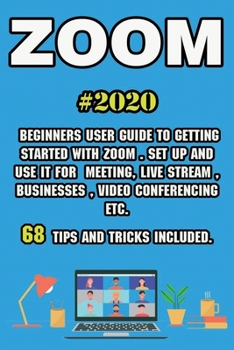
Zoom: 2020 Beginners User Guide to Getting Started with Zoom . Set Up and Use It for Meeting, Live Stream, Businesses, Video
No Customer Reviews

Zoom 2020 Beginners User Guide to Getting Started with Zoom . Set Up and Use It for Meeting, Live Stream, Businesses, Video Conferencing etc . 68 Tips and Tricks Included.Due to the global situation, applications for remote communication have come out on top of the world. In 2020, Zoom has become one of the leading video conferencing applications.Zoom is a video conferencing and online training software. You can work in the web version, but it is better to additionally download the application for PC and phone. Zoom has a built-in messenger for communicating with those who are in Contacts. Accordingly, it is not necessary to use a separate messenger to communicate with employees remotely - one Zoom is enough.In our book, we have collected the most relevant information, as well as cool tricks and tricks for comfortable use of Zoom. In this book you will find the information about: Create an account in Zoom for Desktop or Laptop Create an account and install Zoom on Smartphone and Tablets How to install the Zoom client on your computer. Zoom First Look Zoom Meetings How to organize your online meeting correctly What should you do the firstHow to Create a Meeting Inviting participantsHow to join someone else's conference How to schedule a meeting How to enable/disable audio Feedback from listeners Zoom background Meeting identity End-to-end encryption Modify microphone volume Excellent lighting Keyboard shortcuts Synchronize Zoom with the calendar Tips & Tricks...and much, much more Download your copy of " Zoom" by scrolling up and clicking "Buy Now With 1-Click" button.
Format:Paperback
Language:English
ISBN:B08H6QDWGY
ISBN13:9798680191361
Release Date:January 1
Publisher:Independently Published
Length:166 Pages
Weight:0.51 lbs.
Dimensions:0.3" x 6.0" x 9.0"
Customer Reviews
0 rating
Copyright © 2026 Thriftbooks.com Terms of Use
| Privacy Policy | Do Not
Sell/Share My Personal Information | Cookie Policy | Cookie Preferences | Accessibility Statement
ThriftBooks® and the ThriftBooks® logo are registered trademarks of Thrift Books Global, LLC
ThriftBooks® and the ThriftBooks® logo are registered trademarks of Thrift Books Global, LLC
