


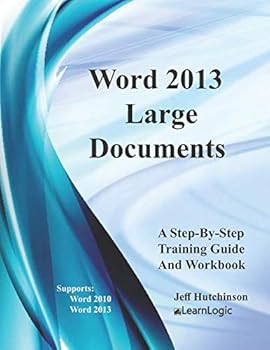
Word 2013 - Large Documents: Supports Word 2010 and 2013
No Customer Reviews

This workbook/guide will allow you to enter special commands and build a long document structure. You will learn how to create tables and format them. As text is entered, the page will break automatically, or you can insert a specific code to break the page such as Section Break, Odd Page Break, or Column Break. Placing Headers and Footers on each page can finalize the document for printing. Also, specific pages can be split into Multiple Columns to provide a Newsletter Style layout. Styles allow you to define a specific format in order to create titles, generate a Table Of Contents, and provide consistency for text. We will also cover adding an Index at the end and References throughout a document. Quick Parts will allow you to store Watermarks, Cover Pages and other objects in a library. The final project will focus on creating large documents including Table Of Contents, Index, Section Breaks, etc. We have also added several optional topics to the Appendix including Forms, Macros, and Mail Merge. What's is in the workbook? Click on the left side of the screen: Look Inside! Enter one of the following keywords: Tables, Page Break, Section Break, Odd Page Break, Column Break, Headers, Footers, References, Quick Parts, Watermarks, Cover Pages, Index, Mail Merge, etc. Take A Class: http://www.elearnlogic.com/download/schedule18.pdf Design Strategy This workbook is designed in conjunction with an Online-Instructor-Led course (for more information see: www.elearnlogic.com ). Unlike other computer guides, students will not need to review lengthy procedures in order to understand a topic. All that is necessary are the brief statements and command paths located within the guide that demonstrate how a concept is used. There are many Step-By-Step Practice Exercises and more comprehensive Student Projects offered to help students better understand concepts. Furthermore, they will find that this workbook/guide can often be used as a reference to help them understand concepts quickly and thoroughly. An index is also provided on the last page to reference important topics as necessary. However, if more detail is needed for study, the Internet can be used, as well, to search a concept. Also, if student's skills are weak due to lack of implementation, they can refresh their knowledge quickly by visually scanning concepts of choice, and then testing them out using the application.
Format:Paperback
Language:English
ISBN:1981657142
ISBN13:9781981657148
Release Date:December 2017
Publisher:CreateSpace Independent Publishing Platform
Length:108 Pages
Weight:0.75 lbs.
Dimensions:11.0" x 0.3" x 8.5"
Customer Reviews
0 rating
Copyright © 2026 Thriftbooks.com Terms of Use
| Privacy Policy | Do Not
Sell/Share My Personal Information | Cookie Policy | Cookie Preferences | Accessibility Statement
ThriftBooks® and the ThriftBooks® logo are registered trademarks of Thrift Books Global, LLC
ThriftBooks® and the ThriftBooks® logo are registered trademarks of Thrift Books Global, LLC
