


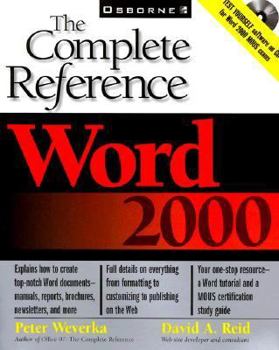
Word 2000: The Complete Reference

Microsoft Word is the world's leading word processor. Explains all the new features, including the Click and Type option, expanded right-mouse menu, and improved table editor and table drawing tool.... This description may be from another edition of this product.
Format:Paperback
Language:English
ISBN:0072119691
ISBN13:9780072119695
Release Date:May 1999
Publisher:McGraw-Hill Osborne Media
Length:894 Pages
Weight:3.85 lbs.
Dimensions:9.3" x 2.5" x 7.5"
Customer Reviews
5 ratings
Great tips!
Published by Thriftbooks.com User , 24 years ago
I am almost through the book (Phew, "Complete" means just that!)The author's experience with the pitfalls in Word are evident by the tips and suggestions he offers throughout the book.A great book as a complete reference, or as a quick-I'm-out-of-time-what's-the-solution book. The book is setup as a task-oriented reference and for once a computer book did not put me to sleep. This is a handy book to have on your bookshelf.
Excellent resource and teaching guide,
Published by Thriftbooks.com User , 25 years ago
In an effort to study and pass the MOUS exam for Word 2000, I chose to teach Word 2000 at my company. Having a complete list of the MOUS objectives, Chapter references and examples for each objective, and practice documents was invaluable. But, to also have practice test questions was the topping on the cake. After I finished teaching the course, the students and I reviewed the MOUS objectives and walked through the practice exam, this really refined and focus what was learned from the book and CD.
GREAT Resource!
Published by Thriftbooks.com User , 26 years ago
Not only is this book informative, it is as if the author is right there coaching the reader along step-by-step. He builds a rapport with the reader which is a real skill given how dry and technical most computing software reference books can be. For anyone who wants to become MOUS certified in Word 2000, I highly recommend this book. I passed the test with flying colors, and I attribute this largely due to Peter Weverka's book--Word 2000: The Complete Reference Book.
A wonderful book for all areas of Word 2000
Published by Thriftbooks.com User , 26 years ago
I am still in the middle of this book, but what I have found so far is that this book is easy to follow, very user friendly, it tells me small and unusual tips on using the product, I really like the Ten Tips at the end of each chapter (great idea!), I also like the candid way you mention certain pitfalls; such as the Master Document. Since reading that in your book I went to a Word newsgroup and read some strings that confirmed this. This kind of information is good for consumers who don't have the time to spend hours on a solution only to find out that it really doesn't fit the bill. I prefer to steer away from what seems to be a great feature, and focus on a more feasible solution to a situation, as would most people I'm sure. Now, I am not sure if your book covers this or not, but the kind of information that would really excite me would be industry specific uses and ideas on using the product. Practical application ideas is what most people need. I think people have a hard time knowing how to apply the information in books to their organizational needs and I know most users are afraid of the web integration. I have seen books on using Word in the legal world, but that's it. I train my company's customers on how to use the different Microsoft Office programs and I will recommend this book to all of our customers.
Told me exactly what I needed to know...
Published by Thriftbooks.com User , 26 years ago
Finding information in this book is easy, and the author explains clearly. I found this book very, very useful. The author covered every facet of Word.
Copyright © 2026 Thriftbooks.com Terms of Use
| Privacy Policy | Do Not
Sell/Share My Personal Information | Cookie Policy | Cookie Preferences | Accessibility Statement
ThriftBooks® and the ThriftBooks® logo are registered trademarks of Thrift Books Global, LLC
ThriftBooks® and the ThriftBooks® logo are registered trademarks of Thrift Books Global, LLC
