


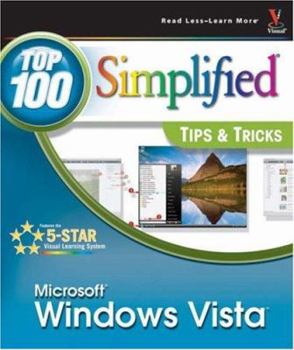
Windows Vista: Top 100 Simplified Tips & Tricks

You already know Windows Vista basics. Now you'd like to go beyond with shortcuts, tricks, and tips that let you work smarter and faster. And because you learn more easily when someone shows you how, this is the book for you. Inside, you'll find clear, illustrated instructions for 100 tasks that reveal cool secrets, teach timesaving tricks, and explain great tips guaranteed to make you more productive with Windows Vista. 5-star visual learning system * Minimal text and maximum illustrations * Task-oriented, step-by-step approach * Navigational aids connect instructions to illustrations * Self-contained, two-page lessons * Uniform layout makes it easy to read less, learn more How easy is it? Look for these symbols marking the difficulty of each task. * Demonstrates a new spin on a common task * Introduces a new skill or a new task * Combines multiple skills requiring in-depth knowledge * Requires extensive skill and may involve other technologies
Format:Paperback
Language:English
ISBN:0470045744
ISBN13:9780470045749
Release Date:December 2006
Publisher:Visual
Length:229 Pages
Weight:1.85 lbs.
Dimensions:10.0" x 0.8" x 8.5"
Customer Reviews
5 ratings
SUPERB BOOK FOR GREAT VISTA TIPS, MY FAVORITE COMPUTER BOOK AUTHOR!
Published by Thriftbooks.com User , 18 years ago
Last March 2007, I purschased the Vista Visually Series that this writer wrote. And, I was so impressed with the author and the content of this book that when I discovered this newer Vista book by the same author, I bought it as well. The reason that I bought this book that I wanted a quick overview on both Tips and Tricks of Vista. After one year using Vista, I have learned so much more about it. Yet, there is always more to learn and an easier and better way to do things in Vista. This author gives you 10 very easy to read and follow chapters that give wonderful and helpful information yet do not bore or overwhelm the reader. The graphics are excellent! The most helpful chapter I found is chapter 5, which is called "Enhance Internet Security and Privacy". Although this chapter could have been longer and more detailed, it gives enough information about: Scanning for Spyware, Web Page Media Safely and Privately, Spam info, and super email info and more. Another chapter I was very impressed with the content is chapter 6. In this chapter the author gives you basic Internetting tips and faster movement in pages showing you how to use tabs, a real help when you are browsing more than one web page at a time and wish to go back to each of them. Also in this chapter I found many good suggestions for websites, safe websites, web feeds and more. Superb book, superb author, I highly reccomend this book!
WONDERFUL BOOK & EXCELLENT SERVICE
Published by Thriftbooks.com User , 18 years ago
I ordered this book and another book on Dec 22nd, and it was on my porch early afternoon on Christmas Eve. I did not expect to get it that soon! This book makes everything so simple. Everytime you get a new computer, and it has a new operating system, you can't do much with it for a while. I was actually able to do things with this book explaining the steps. I was so impressed with it, I just ordered the author's 'Teach Yourself Visually Windows Vista' book. It is the first book to impress me for it's ease and userability. Back in the "OLD" days they use to supply books with computers that helped to explain how to do tasks...or at least the steps a new user shoukd go through to find the info on the computer. NOW ALL YOU CAN DO IS GUESS WHERE SOME USEABLE INFORMATION IS LOCATED, AND HOW TO GET TO IT. AN EXCELLENT SOURCE BOOK....THANK YOU!
My experience with Vista Simplified & The manual called the missing manual
Published by Thriftbooks.com User , 18 years ago
I purchased "Vista Simplified",I also purchased "Vista Manual"(The missing manual). Vista simplified is an extremely good instruction book.It introduced me to Vista and how to use Vista.It contained information to me that is not obvious unless you know how to find it. The "Missing Manual" Gives a more detailed introduction to Vista. It is very inforamtive and explains everything in plain language. It includes descriptive information that is easy to follow.It is also a good reference book if one gets into trouble I highly recommend both books. George High
Excellent
Published by Thriftbooks.com User , 19 years ago
This is one of the finest instructional books I have ever come across. The step-by-step instructions are very clearly written and illustrated. There is no guess-work required regarding the interpretation of the instructions. Each task is preceded by an informative narrative explaining its' purpose and effect. Every command is numbered, with a corresponding number highlighted in relavent screen shots to show exactly how to perform the task. Tips, recommendations, cautions and other options are also included after most tasks. Instructions on removal to return you to the previous configuration are also prevalent. Difficulty levels are assigned. There is much more detail here that is present in most Vista manuals. The pages are glossy and in color. I can't think of a single recommendation to improve this book and shall consider other books in this series. Excellent!
very good
Published by Thriftbooks.com User , 19 years ago
just as it was stated. Easy to understand even for the less experienced user
Copyright © 2026 Thriftbooks.com
Terms of Use | Privacy Policy | Do Not Sell/Share My Personal Information | Cookie Policy | Cookie Preferences | Accessibility Statement
ThriftBooks ® and the ThriftBooks ® logo are registered trademarks of Thrift Books Global, LLC
ThriftBooks ® and the ThriftBooks ® logo are registered trademarks of Thrift Books Global, LLC
