
Skip to content
Scan a barcode
Scan
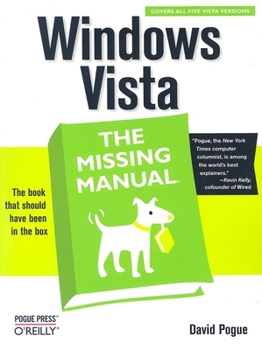
Paperback Windows Vista: The Missing Manual Book

ISBN: 0596528272

ISBN13: 9780596528270

Windows Vista: The Missing Manual

Select Format

Select Condition ThriftBooks Help Icon

Recommended

Format: Paperback

Condition: Good

$5.99
Save $34.00!
List Price $39.99
Almost Gone, Only 1 Left!
Save to List

Book Overview

Windows Vista is Microsoft's most important software release in more than a decade. It offers users an abundance of new and upgraded features that were more than five years in the making: a gorgeous, glass-like visual overhaul; superior searching and organization tools; a multimedia and collaboration suite; and above all, a massive, top-to-bottom security-shield overhaul. There's scarcely a single feature of the older versions of Windows that hasn't been tweaked, overhauled, or replaced entirely.

But when users first encounter this beautiful new operating system, there's gonna be a whole lotta head-scratchin', starting with trying to figure out which of the five versions of Vista is installed on the PC (Home, Premium, Business, Enterprise, Ultimate).

Thankfully, Windows Vista: The Missing Manual offers coverage of all five versions. Like its predecessors, this book from New York Times columnist, bestselling author, and Missing Manuals creator David Pogue illuminates its subject with technical insight, plenty of wit, and hardnosed objectivity for beginners, veteran standalone PC users, and those who know their way around a network. Readers will learn how to:


Navigate Vista's elegant new desktop Locate anything on your hard drive quickly with the fast, powerful, and fully integrated search function Use the Media Center to record TV and radio, present photos, play music, and record any of the above to DVD Chat, videoconference, and surf the Web with the vastly improved Internet Explorer 7 tabbed browser Build a network for file sharing, set up workgroups, and connect from the road Protect your PC and network with Vista's beefed up security And much more.

This jargon-free guide explains Vista's features clearly and thoroughly, revealing which work well and which don't. It's the book that should have been in the box

Customer Reviews

5 ratings

Makes the complexities of Vista understandable--no small task

Windows Vista is arguably one of the greatest changes Microsoft made to its operating system since it introduced Windows 95. If you bought Windows 95, you got a decent manual that explained its features, and computer hardware manufacturers frequently included a Windows 95 "start here" CD that explained the new features Windows 95 had to offer. Those were the good old days, weren't they? Gas was under $3.00 a gallon and you didn't take your shoes off at the airport unless your feet were tired. In 2007, we have none of that. Windows Vista comes with many new features, wizards, and a complete change of the start menu, but Microsoft provided no printed guide explaining these features. Even worse, we now have up to seven different varities of Vista, each with different features. As we know some things in life you can't avoid: death and taxes. I always add one other inevitable facts of life: great books by David Pogue. "Windows Vista, the Missing Manual" doesn't disappoint. Mine is already dog-eared, marked up, and has passed around more times than (insert inappropriate comment here). I'm not running Vista yet, but friends and family constantlyask me about its esoteric features. "Missing Manuals" tend to always share common traits such as clearly explained examples and great screen shots to illustrate the points. While other books feel compelled to explain every esoteric function of a particular program or operating system, Pogue focuses on those features the average user would need help with. He also doesn't waste time explaining the basics such as how to use the mouse or how to turn off the computer. The reader should have a basic understanding of how to use a computer and simply wants to know how to maximize their use of Vista's features. By far the handiest feature of this book is clearly explaining which features work with which flavor of Windows. For example: which version have faxing and which have the cool Aero feature? Another part of the book I constantly refer to is the "where did it go" section. I only have two complaints about the book. First, you can tell Mr. Pogue "cuts and pastes" from other versions. In addition, I would have liked to have seen more troubleshooting help in the appendix. Granted, this isn't a repair manual, but people often read manuals when something isn't working the way they want and I would have nominated the book for Sainthood if it had those features. Overall this is an outstanding book and should be purchased by anyone anxious or concerned about making the switch to Vista. Advanced users won't like the book because it doesn't go into enough details...but advanced users rarely read manuals anyway. Pros: Perfect explanation of the features the average Vista user will need to know Cons: Not enough troubleshooting advice.

"Windows Vista: The Missing Manual" A Review By: John Inzer

Generally, I am not a fan of manuals...they can be boring, vague and for the most part you even wonder if the writer has actually seen the product being discussed. Enter: "Windows Vista: The Missing Manual" Written by: David Pogue Published by: Pogue Press - O'Reilly. Vista truly is a new experience and all aspects of the various features are explained in detail in this comprehensive, easy to read manual. If you are a first time computer owner or a veteran from the days of DOS this is a book you will find yourself referring to over and over. Everything from the graphically appealing Windows Aero interface to tips on how to install Vista is covered. 32-bit vs. 64-bit, organizing your files, Gadgets, hooking up to the net, Internet Explorer 7, Windows Mail, Photo Gallery, Movie Maker, transferring your files, tweaking the Registry, making backups, maintenance...it's all in there and much more. Finally, I must say the RepKover binding of this more than 800 page treatise is excellent. You can actually open it flat on the desk and it won't slam shut like many books will. This can be quite useful when you are trying to read and implement the instructions while sitting at your keyboard. Wow! This really is the book that should have been in the box.

Can't imagine a better manual!

It's been over five years in the making and it's nearly perfect. No, I'm not referring to Microsoft's vast new operating system named Windows Vista, but to the reference book "Windows Vista: the Missing Manual," by author David Pogue. The Missing Manual series is the benchmark of quality for computer manuals. Unless you're a system administrator, programmer, or uber-geek, this is probably the only reference source you'll need to learn Microsoft's Vista. Vista is the long-awaited successor to Windows XP and it is a major overhaul and upgrade of that operating system. It was designed primarily to address long-standing security issues with XP and its predecessors, but it also has a vastly new look and feel graphically and in operating features. It comes with a large number of new programs and features. This Missing Manual uses every bit of 827 pages (including index) to provide similar descriptive and informational material as the built-in Vista sources, but provides much, much more: One. Beyond mere description of features and functions, the book explains and evaluates all of the major (and many of the minor) changes from Windows XP to the new Vista. The introductory chapter itemizes all of the most important changes providing perspective on what Microsoft has done with the new operating system. It also highlights some of the more significant interface changes - the new search tool, the revised Start Menu, and the new "ribbon" bar. Two. The author notes the options a user has in either using a new Vista feature, or in reconfiguring the operating experience to return to pre-existing features and the aesthetic elements of Windows XP and earlier versions of the operating system. Three. Pogue provides an expert user's perspective on the value of the changes and new features in Vista. Some things are improvements and upgrades; others are rated as inferior to what was before. If you don't like the new or changed feature, Pogue guides you how to revert to previous iterations of the featuress, or otherwise provides workarounds. Four. Pogue is great at providing an expert user's perspective on working with the operating system efficiently and pragmatically. The Manual is written so that one almost feels that one is getting a one-on-one, hands-on lesson, in using Windows Vista. There is good reason that Pogue has been described as one of the "world's best explainers." Five. Beyond all of the information, guidance and perspectives, Pogue has a great writing style. The writing is sprinkled with wit, sarcasm, and good-natured humor, extremely rare for a computer related book. Six. The author writes for multiple levels of need and understanding. He details the basics of Windows Vista for beginners, provides richer material in breadth and depth for intermediate users, and a good amount of material useful for power users. There are many sidebars sprinkled throughout called "Power Users Clinic" which offer more technical tips,

"Windows Vista - The Missing Manual" a Book You Really Need

Windows Vista is a complete overhaul to the Windows operating system that took over five years to complete. It includes an all new user interface and major improvements to security. With the all new look, new programs, new explorers five different versions it is a lot to fathom. But you get on screen help but no manual. I personally still want and need a book to sit down and study. I found Windows Vista - The Missing Manual the solution for me. I don't have Vista but worked with the beta product and found that the manual walked me through the changes that impacted me. It has also given me the incite necessary to determine which version of Windows Vista I eventually will use. The book published by O'Reilly is written for advanced beginners or intermediate computer users. For beginners it includes "Up to Speed" articles and for advanced users there are the "Power Users' Clinic" highlights. The Missing Manual's over 800 pages comprise eight parts and four appendixes. I found the "Where'd It Go" appendix an excellent reference. It shows you where the old features you were used to using are hidden in Vista. Part One covers the "Vista Desktop" showcasing several new features. It prepares you for what you might see when first starting Vista. We have all heard about the Aero interface and the book clearly explains the features. I was interested in the new Sleep feature. This is a two step energy conservation feature. For the first 15 minutes all of your open programs and settings are saved in Ram. So restarting only takes a matter of seconds. After 15 minutes the full Sleep mode starts. At that point like Hibernation the image is saved on the hard drive and it takes longer to restart, but is still much faster than a full start up. The new Lock feature also has a potential for excellent benefits in the workplace or a home with children. When you leave the computer just turn the lock on and it will require log on to reactivate. In addition, I found the description of the new fast system wide Search interesting. Some of the new features in the Start Menu Search should become evident through use, but things like using Vista's criteria search are not self evident and I was glad to learn about them from the book. The book even suggested that with the new folder search features maybe deeply nesting folders isn't necessary. However, I doubt I could give that up. Part One - "Vista Desktop" of the Missing Manual walks you through using the Vista desktop and fully customizing all of its features to suit your needs. It even shows you how Vista will let you go back to the old classic Windows XP look and feel. Windows Explorer is covered here. Since I personally use Windows Explorer for managing, organizing and opening my myriad of files I studied this chapter closely. I found the detailed descriptions of the windows panes enlightening. The information available in the details pane is incredible. I like the idea of using tags. And with my tendency to create a v

An Essential "Missing Manual" Title on Windows Vista

Author David Pogue, now well known for his acclaimed "Missing Manual" series from O'Reilly, once again stuns us with his latest title, Windows Vista: The Missing Manual. The latest in this marvelous series of "Missing Manual" guides will surely get the attention of potential buyers when they peruse the abundance of computer books now filling the shelves. More importantly, Vista is a major new operating system from Microsoft, not just another security update, and this makes this title even more important. With Microsoft's latest operating system, Windows Vista, this lack of a manual has created an opportunity for others to fill the gap. To the rescue comes this wonderful guide to Windows Vista that easily can serve as the manual that should have accompanied the software. Filled with hundreds of screen shots, this guide includes numerous step-by-step instructions for using almost every Windows Vista feature, including those you may not even have quite understood, let alone mastered. Author Pogue has organized this book into eight parts, including The Windows Vista Desktop, Vista Software, Vista Online, Pictures, Movies, and Media Center, Hardware and Peripherals, PC Health, The Vista Network, and the Appendixes. In this Missing Manual title, the author also discusses concerns regarding upgrading, versus a clean install of Windows Vista, and the all important issue of whether to even consider loading Vista on an existing machine, versus purchasing a brand new machine with Vista already installed. Readers will also be glad to know that the author includes comments on all the five (5) versions of Vista that will be available. These include Vista Home Basic, Vista Home Premium, Vista Business, Vista Enterprise, and Vista Ultimate. This important book is designed to accommodate readers at every technical level, except system administrators. Computer network operators will want to supplement this book aimed more at desktop users with other more technical books on supporting Vista that will soon fill the shelves. The primary discussions are written for advanced-beginner or intermediate PC users. If you are a first-time Windows user, the special sidebar articles called "Up To Speed" provide the introductory information you need to understand the topic at hand. If you are an advanced users, keep your eye out for similar shaded boxes called "Power Users' Clinic" that offer more technical tips, tricks, and shortcuts for the veteran PC fan.
Copyright © 2026 Thriftbooks.com Terms of Use | Privacy Policy | Do Not Sell/Share My Personal Information | Cookie Policy | Cookie Preferences | Accessibility Statement
ThriftBooks® and the ThriftBooks® logo are registered trademarks of Thrift Books Global, LLC

GoDaddy Verified and Secured