


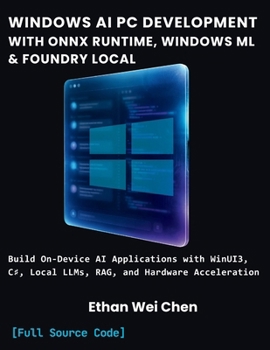
WINDOWS AI PC DEVELOPMENT WITH ONNX RUNTIME, WINDOWS ML & FOUNDRY LOCAL: Build On-Device AI Applications with WinUI3, C#, Local LLMs, RAG, Hardware Acceleration, and Complete Compilable Projects
No Customer Reviews

Cloud AI is expensive, slow, and leaks your users' data. On-device AI is none of those things, and almost nobody knows how to build it yet.
Every AI feature you've shipped probably calls out to a cloud API: network round trips, per-token billing, and sensitive data leaving the user's machine the moment they hit "submit." Windows just changed that equation. Modern Windows PCs can now run OCR, summarization, real-time image classification, and full generative chat entirely on-device, no internet required, no API bill, no data ever leaving the laptop.
The problem? Microsoft gives you three different ways to do this, Windows AI APIs, Foundry Local, and Windows ML, and picking the wrong one costs you weeks of wasted rework. This book removes that guesswork.
This is not a survey of AI theory. It's a practitioner's guide to shipping real software.
Inside, you'll build five complete, production-shaped applications from scratch, with every line of code included: A smart document scanner using built-in Windows AI APIsA real-time image classifier running hardware-accelerated ONNX modelsAn offline AI writing assistant with zero cloud dependencyA retrieval-augmented chat system (RAG) that answers questions from your own documents, entirely on-deviceDeskMind; a full capstone productivity app unifying all three Windows AI lanes into one coherent, production-ready WinUI 3 applicationWhat makes this different from every other WinUI 3 or ONNX book on the market: No other title combines ONNX Runtime, Windows ML, Foundry Local, and WinUI 3 into one unified curriculum. Most books cover UI or AI. This book teaches both, together, the way real apps actually get built.Every code listing is complete and runnable, no elided setup, no "left as an exercise." Full class definitions, full XAML, real error handling.Built around a decision framework, not just a feature dump. You'll know exactly which of Windows' three AI lanes to reach for on your very next project, and why the "just use the most powerful one" instinct is usually wrong.Debugging chapters and appendices included, a dedicated chapter on common ONNX errors, a hardware-vendor troubleshooting appendix, and a model-conversion cheat sheet, so when something breaks (it will), you're not stuck.Written for right now. Reflects Microsoft's current platform direction, not last year's Copilot+-only framing that's already going stale.Who this book is for:
Working C# developers who want to ship AI features without becoming ML researchers. No prior WinUI 3, XAML, or machine learning experience required, every concept is built from the ground up, in exactly the depth you need to use these tools correctly and confidently.
Stop guessing which Windows AI API to use. Start shipping.
Scroll up and grab your copy today.
full source code included]
Every AI feature you've shipped probably calls out to a cloud API: network round trips, per-token billing, and sensitive data leaving the user's machine the moment they hit "submit." Windows just changed that equation. Modern Windows PCs can now run OCR, summarization, real-time image classification, and full generative chat entirely on-device, no internet required, no API bill, no data ever leaving the laptop.
The problem? Microsoft gives you three different ways to do this, Windows AI APIs, Foundry Local, and Windows ML, and picking the wrong one costs you weeks of wasted rework. This book removes that guesswork.
This is not a survey of AI theory. It's a practitioner's guide to shipping real software.
Inside, you'll build five complete, production-shaped applications from scratch, with every line of code included: A smart document scanner using built-in Windows AI APIsA real-time image classifier running hardware-accelerated ONNX modelsAn offline AI writing assistant with zero cloud dependencyA retrieval-augmented chat system (RAG) that answers questions from your own documents, entirely on-deviceDeskMind; a full capstone productivity app unifying all three Windows AI lanes into one coherent, production-ready WinUI 3 applicationWhat makes this different from every other WinUI 3 or ONNX book on the market: No other title combines ONNX Runtime, Windows ML, Foundry Local, and WinUI 3 into one unified curriculum. Most books cover UI or AI. This book teaches both, together, the way real apps actually get built.Every code listing is complete and runnable, no elided setup, no "left as an exercise." Full class definitions, full XAML, real error handling.Built around a decision framework, not just a feature dump. You'll know exactly which of Windows' three AI lanes to reach for on your very next project, and why the "just use the most powerful one" instinct is usually wrong.Debugging chapters and appendices included, a dedicated chapter on common ONNX errors, a hardware-vendor troubleshooting appendix, and a model-conversion cheat sheet, so when something breaks (it will), you're not stuck.Written for right now. Reflects Microsoft's current platform direction, not last year's Copilot+-only framing that's already going stale.Who this book is for:
Working C# developers who want to ship AI features without becoming ML researchers. No prior WinUI 3, XAML, or machine learning experience required, every concept is built from the ground up, in exactly the depth you need to use these tools correctly and confidently.
Stop guessing which Windows AI API to use. Start shipping.
Scroll up and grab your copy today.
full source code included]
Format:Paperback
Language:English
ISBN:B0HKJ4Y4H6
ISBN13:9798176038071
Release Date:September 2026
Publisher:Independently published
Length:224 Pages
Weight:1.18 lbs.
Dimensions:11.0" x 0.5" x 8.5"
Customer Reviews
0 rating
Copyright © 2026 Thriftbooks.com
Terms of Use | Privacy Policy | Do Not Sell/Share My Personal Information | Cookie Policy | Cookie Preferences | Accessibility Statement
ThriftBooks ® and the ThriftBooks ® logo are registered trademarks of Thrift Books Global, LLC
ThriftBooks ® and the ThriftBooks ® logo are registered trademarks of Thrift Books Global, LLC
