


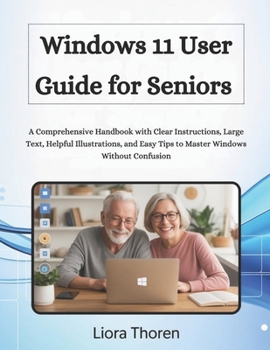
Windows 11 User Guide for Seniors: A Comprehensive Handbook with Clear Instructions, Large Text, Helpful Illustrations, and Easy Tips to Master Window
No Customer Reviews

This guidebook is an independent publication and is not endorsed, sponsored, or affiliated with Microsoft Corporation.
All information is provided solely for educational and reference purposes. It is designed to help seniors use Windows 11 with clarity and confidence, but it does not replace official Microsoft support or documentation. Have you recently upgraded to Windows 11 and feel overwhelmed by all the new buttons, menus, and icons? Are you a senior who simply wants to send emails, browse the internet, write documents, or enjoy photos, without the frustration, confusion, or tiny print? If so, you're not alone. And this book was written just for you. Technology should feel helpful, not hard. With the right guidance, even the newest version of Windows can feel intuitive, simple, and even enjoyable. That's exactly what this book offers, a clear, stress-free guide to using Windows 11, written specifically for seniors, with no technical background required. Windows 11 User Guide for Seniors by Liora Thoren is more than a manual. It's your patient companion through every click, setting, and feature, written to help you learn comfortably at your own pace. Inside, you'll find:
✅ Large fonts and clean layouts that are easy on the eyes
✅ Plain-English instructions with no tech jargon
✅ Real-world examples for practical daily use
✅ Step-by-step tutorials for every major task and function Whether you're starting from scratch or upgrading from Windows 10, this guide walks you through every essential feature, from turning on your PC and using the Start menu, to managing files, browsing the internet, sending emails, video chatting with family, and more. You'll learn how to:
All information is provided solely for educational and reference purposes. It is designed to help seniors use Windows 11 with clarity and confidence, but it does not replace official Microsoft support or documentation. Have you recently upgraded to Windows 11 and feel overwhelmed by all the new buttons, menus, and icons? Are you a senior who simply wants to send emails, browse the internet, write documents, or enjoy photos, without the frustration, confusion, or tiny print? If so, you're not alone. And this book was written just for you. Technology should feel helpful, not hard. With the right guidance, even the newest version of Windows can feel intuitive, simple, and even enjoyable. That's exactly what this book offers, a clear, stress-free guide to using Windows 11, written specifically for seniors, with no technical background required. Windows 11 User Guide for Seniors by Liora Thoren is more than a manual. It's your patient companion through every click, setting, and feature, written to help you learn comfortably at your own pace. Inside, you'll find:
✅ Large fonts and clean layouts that are easy on the eyes
✅ Plain-English instructions with no tech jargon
✅ Real-world examples for practical daily use
✅ Step-by-step tutorials for every major task and function Whether you're starting from scratch or upgrading from Windows 10, this guide walks you through every essential feature, from turning on your PC and using the Start menu, to managing files, browsing the internet, sending emails, video chatting with family, and more. You'll learn how to:
Format:Paperback
Language:English
ISBN:B0FTZV26M7
ISBN13:9798268615760
Release Date:October 2025
Publisher:Independently Published
Length:158 Pages
Weight:0.84 lbs.
Dimensions:0.3" x 8.5" x 11.0"
Customer Reviews
0 rating
Copyright © 2026 Thriftbooks.com
Terms of Use | Privacy Policy | Do Not Sell/Share My Personal Information | Cookie Policy | Cookie Preferences | Accessibility Statement
ThriftBooks ® and the ThriftBooks ® logo are registered trademarks of Thrift Books Global, LLC
ThriftBooks ® and the ThriftBooks ® logo are registered trademarks of Thrift Books Global, LLC
