


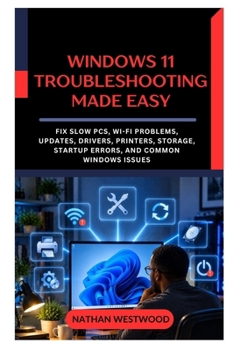
Windows 11 Troubleshooting Made Easy: Fix Slow PCs, Wi-Fi Problems, Updates, Drivers, Printers, Storage, Startup Errors, and Common Windows Issues

When your computer stops working properly, you don't need another random list of "fixes." You need to know what to check first, what the symptoms actually mean, and how to repair the problem without making things worse.
A laptop suddenly becomes painfully sluggish.
The internet connection disappears.
An application keeps crashing.
A peripheral shows as offline.
An installation refuses to complete.
The screen goes black after sign-in.
Or your machine simply will not boot.
Where do you begin?
Windows 11 Troubleshooting Made Easy gives everyday users a clear, practical system for diagnosing and repairing the problems that cause the most frustration.
Instead of telling you to change dozens of settings or run mysterious commands, this book teaches you to work logically:
Understand the problem → Gather information → Check simple causes → Isolate the fault → Apply the safest repair → Test the result → Escalate when necessary → Prevent recurrence.
Inside, you'll learn how to: Diagnose a sluggish laptop without immediately installing questionable "optimization" utilitiesUse Task Manager to understand CPU, memory, disk, network, and GPU activityIdentify unnecessary background and automatic-launch applicationsDistinguish temporary high resource use from a genuine performance faultDiagnose wireless and internet connectivity failures systematicallyUnderstand IP addressing, DHCP, gateways, DNS, ipconfig, ping, nslookup, and tracertHandle failed installations and servicing problems safelyInvestigate hardware detection and Device Manager warning signsRoll back problematic hardware software when a recent change causes instabilityDiagnose offline devices, stuck print queues, poor output, and scanner failuresRecover disk space without deleting important system foldersHandle applications that freeze, crash, or refuse to openDiagnose missing sound, microphone failures, USB devices, and wireless accessoriesFix second-monitor detection, flickering, scaling, refresh-rate, and black-screen situationsSeparate power, boot, operating-system loading, and sign-in failuresUse Safe Mode and the recovery environment effectivelyInvestigate stop errors, repeated freezes, and unexpected restartsRecognize suspicious behavior without assuming every unusual event is malwareUnderstand restore, recovery, reset, reinstall, and backup choicesThe book's approach deliberately moves from least disruptive to most disruptive actions. Observe first. Check the obvious. Restart only what needs restarting. Isolate the affected layer. Repair when the evidence supports it. Use recovery only when necessary. Escalate when continuing could put data or hardware at risk.
That means you'll learn not only what to do, but also what not to do.
The book even shows why apparently alarming numbers can be misleading: 100% disk activity does not necessarily mean a disk is full, high CPU use may be completely appropriate for a demanding workload, and heavily used memory does not automatically mean something is wrong.
The visual material also supports the diagnostic approach-for example, the book illustrates the Seven Levels of Safe Troubleshooting as a progression from Observe through Escalate and uses a decision tree to separate device-specific connectivity failures from router or provider failures.
Whether you're an everyday home user, student, office worker, aspiring support technician, or the person everyone calls when something stops working, this book gives you a repeatable method for approaching computer failures with greater confidence.
Stop guessing. Diagnose the symptom. Find the cause. Apply the safest solution-and know when to stop.
Customer Reviews
ThriftBooks ® and the ThriftBooks ® logo are registered trademarks of Thrift Books Global, LLC
