


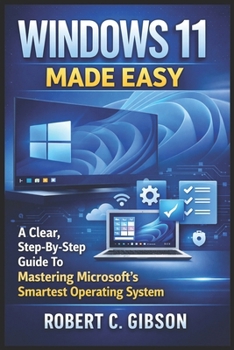
Windows 11 Made Easy: A Clear, Step-By-Step Guide To Mastering Microsoft's Smartest Operating System
No Customer Reviews

Windows 11 is powerful, modern, and packed with useful features-but without the right guidance, it can feel confusing and overwhelming. This Windows 11 User Guide removes the frustration and shows you exactly how to use your PC with confidence, even if you've never used Windows 11 before.
Written in plain, easy-to-understand language, this book walks you step by step through everything you need to know from installation to daily use without technical jargon or complicated explanations.
Inside this guide, you will discover how to: Install, upgrade, and activate Windows 11 correctlyComplete first-time setup and choose the right privacy and security settingsNavigate the Start Menu, Taskbar, Widgets, and Quick Settings with easeManage files, folders, storage, USB drives, and external devicesUse OneDrive for backup, syncing, and secure file sharingConnect to Wi-Fi, Ethernet, and Bluetooth devices without stressUse built-in apps like Microsoft Edge, Mail, Calendar, Notepad, Paint, and Snipping ToolCustomize your desktop, themes, colors, and accessibility optionsFix common Windows 11 problems using safe troubleshooting methodsBoost performance with Storage Sense, Disk Cleanup, and smart settingsApply simple tips and shortcuts to work faster every dayThis guide is perfect for beginners, seniors, students, home users, and office workers who want clear instructions-not confusing tech talk.
If you want to stop guessing, avoid mistakes, and finally feel comfortable using Windows 11, this book gives you everything you need in one simple, reliable guide.
Written in plain, easy-to-understand language, this book walks you step by step through everything you need to know from installation to daily use without technical jargon or complicated explanations.
Inside this guide, you will discover how to: Install, upgrade, and activate Windows 11 correctlyComplete first-time setup and choose the right privacy and security settingsNavigate the Start Menu, Taskbar, Widgets, and Quick Settings with easeManage files, folders, storage, USB drives, and external devicesUse OneDrive for backup, syncing, and secure file sharingConnect to Wi-Fi, Ethernet, and Bluetooth devices without stressUse built-in apps like Microsoft Edge, Mail, Calendar, Notepad, Paint, and Snipping ToolCustomize your desktop, themes, colors, and accessibility optionsFix common Windows 11 problems using safe troubleshooting methodsBoost performance with Storage Sense, Disk Cleanup, and smart settingsApply simple tips and shortcuts to work faster every dayThis guide is perfect for beginners, seniors, students, home users, and office workers who want clear instructions-not confusing tech talk.
If you want to stop guessing, avoid mistakes, and finally feel comfortable using Windows 11, this book gives you everything you need in one simple, reliable guide.
Format:Paperback
Language:English
ISBN:B0GDMD56P5
ISBN13:9798242132658
Release Date:January 2026
Publisher:Independently Published
Length:120 Pages
Weight:0.38 lbs.
Dimensions:0.3" x 6.0" x 9.0"
Customer Reviews
0 rating
Copyright © 2026 Thriftbooks.com Terms of Use
| Privacy Policy | Do Not
Sell/Share My Personal Information | Cookie Policy | Cookie Preferences | Accessibility Statement
ThriftBooks® and the ThriftBooks® logo are registered trademarks of Thrift Books Global, LLC
ThriftBooks® and the ThriftBooks® logo are registered trademarks of Thrift Books Global, LLC
