


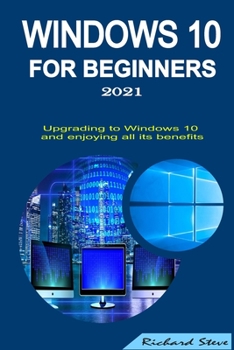
Windows 10 for Beginners 2021: Upgrading to Windows 10 and Enjoying All Its Benefits
No Customer Reviews

Windows 10 is a series of O.S. (operating systems) that was developed by Microsoft. It is the latest windows version from Microsoft for your computer system. It supports universal apps designed to run across different Microsoft products, including tablets, smartphones, Xbox One, Mixed Reality, Surface Hub, and other embedded systems. Before, there was Windows 7 and Windows 8.1. Upgrading and using Windows 10 is non-debatable as many computers around the world now run on it.
However, this guide works you through the excellent features this Operating System has brought for all. Besides, you would learn how to work seamlessly, utilize, and personalize your computer's look and feel on this O.S. The best way to use this material is by practicing as you read; thus, you get more clarity on how things work and relate in Windows 10. Here are a few:
- UPGRADING TO WINDOWS 10
- NAVIGATING THROUGH WINDOWS 10
- CUTOMIZING AND UNDERSTANDING THE CHANGES IN THE START MENU
- USING THE TASK VIEW FEATURE
- CUSTOMIZING THE TASKBAR
- USING THE FILE EXPLORER EFFECTIVELY
- THE MICROSOFT STORETHE SETTINGS AND CONTROL PANEL
- MANAGING CONNECTIONS
- SECURITY AND MAINTENANCE
- DO(S) AND DON'T (S) FOR WINDOWS 10 P.C.S AND FOR ANY COMPUTER DEVICE
- COMMON PROBLEMS AND SOLUTIONS
and more features on Windows 10...
Now that you have an idea of the amazing things you get to learn from this book, go ahead and grab your copy now rather than later.
However, this guide works you through the excellent features this Operating System has brought for all. Besides, you would learn how to work seamlessly, utilize, and personalize your computer's look and feel on this O.S. The best way to use this material is by practicing as you read; thus, you get more clarity on how things work and relate in Windows 10. Here are a few:
- UPGRADING TO WINDOWS 10
- NAVIGATING THROUGH WINDOWS 10
- CUTOMIZING AND UNDERSTANDING THE CHANGES IN THE START MENU
- USING THE TASK VIEW FEATURE
- CUSTOMIZING THE TASKBAR
- USING THE FILE EXPLORER EFFECTIVELY
- THE MICROSOFT STORETHE SETTINGS AND CONTROL PANEL
- MANAGING CONNECTIONS
- SECURITY AND MAINTENANCE
- DO(S) AND DON'T (S) FOR WINDOWS 10 P.C.S AND FOR ANY COMPUTER DEVICE
- COMMON PROBLEMS AND SOLUTIONS
and more features on Windows 10...
Now that you have an idea of the amazing things you get to learn from this book, go ahead and grab your copy now rather than later.
Format:Paperback
Language:English
ISBN:B08NRZGJP1
ISBN13:9798567947319
Release Date:November 2020
Publisher:Independently Published
Length:98 Pages
Weight:0.31 lbs.
Dimensions:0.2" x 6.0" x 9.0"
Customer Reviews
0 rating
Copyright © 2026 Thriftbooks.com Terms of Use
| Privacy Policy | Do Not
Sell/Share My Personal Information | Cookie Policy | Cookie Preferences | Accessibility Statement
ThriftBooks® and the ThriftBooks® logo are registered trademarks of Thrift Books Global, LLC
ThriftBooks® and the ThriftBooks® logo are registered trademarks of Thrift Books Global, LLC
